Compare · Shipday
Shipday alternatives: what 100, 500 and 1,000 stops cost on each
Shipday alternatives are easiest to compare on one number: what your stops a month cost on the plan you would really use. Shipday's Basic plan is free for 300 orders but lists no route optimization, and Professional is US$49 with it. pickup.kitchen's driver app is free for 100 stops a month, then CA$0.10 a stop.
- Shipday's plans, checked November 2026, with a bill at 100, 500 and 1,000 stops
- Orders, meal plans and drivers in one login
- Where Shipday is stronger: third-party fleets, AI dispatch, an API
Free onboarding. Pay as you use. No monthly fee for ordering.
pickup.kitchen and Shipday
Side by side
Each line uses Shipday's own published numbers, checked November 2026.
| What | pickup.kitchen | Shipday |
|---|---|---|
| Entry price | pickup.kitchenFree onboarding. 100 stops a month free, then CA$0.10 a stop. | ShipdayBasic is free for 300 orders. Professional from US$49. |
| Bill at 100 stops a month | pickup.kitchenCA$0 | ShipdayUS$0 on Basic (no route optimization listed), US$49 on Professional |
| Bill at 500 stops a month | pickup.kitchenCA$40, about US$29 | ShipdayUS$69 on Professional |
| Bill at 1,000 stops a month | pickup.kitchenCA$90, about US$65 | ShipdayUS$119 on Professional |
| Route optimization | pickup.kitchenPlan the night before, then send. The driver can start early and choose where to finish. | ShipdayOn Professional and above |
| Orders flowing into routes | pickup.kitchenFrom pickup.kitchen orders and meal-plan days, with no setup. Other stops by hand. | ShipdayOrder forms and integrations |
| Meal plans | pickup.kitchenWeekly menus, skips, pauses, packing lists and labels | ShipdayNot listed in the pages we checked |
| Third-party couriers | pickup.kitchenNone. Your own drivers. | ShipdayOn Branded Elite and above, in the US, Canada, Australia and the UK |
| Proof of delivery | pickup.kitchenPhoto required, with a note, the time and the driver's name | ShipdayPhoto and signature. Barcode and ID check on Branded Elite. |
| Strengths we do not have | pickup.kitchenNo API, no AI agents, no third-party couriers, no review tools | ShipdayAPI and webhooks, AI dispatch and agents, review requests, branded driver app |
Checked November 2026Sources
Real screens
What your guests and kitchen see instead
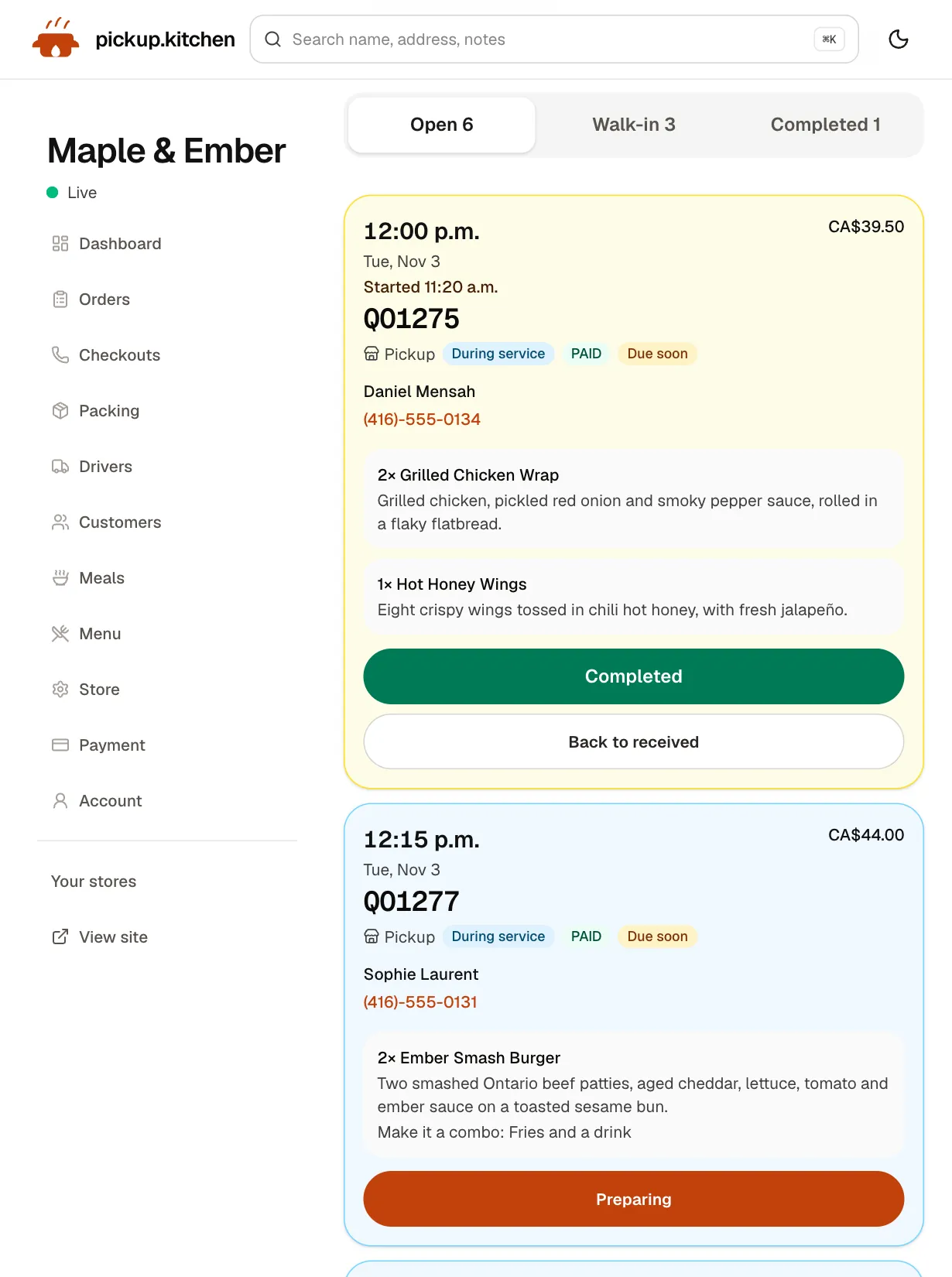
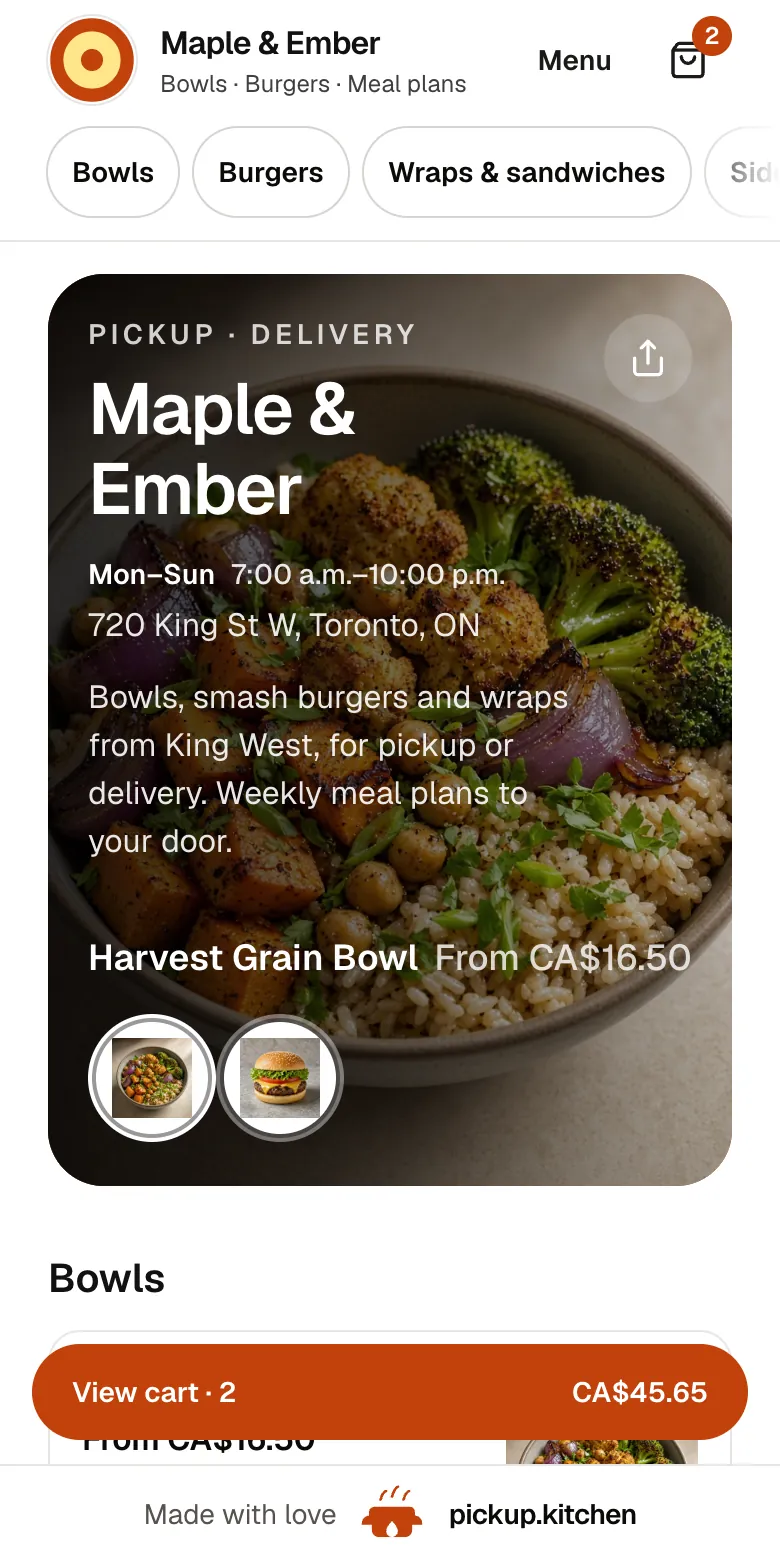
Real screens from pickup.kitchen, the same ones you and your guests use.
1Your guests
Your menu, on your own site
yourname.pickup.kitchen shows your dishes with photos and prices, and each guest picks pickup or delivery.
See how it works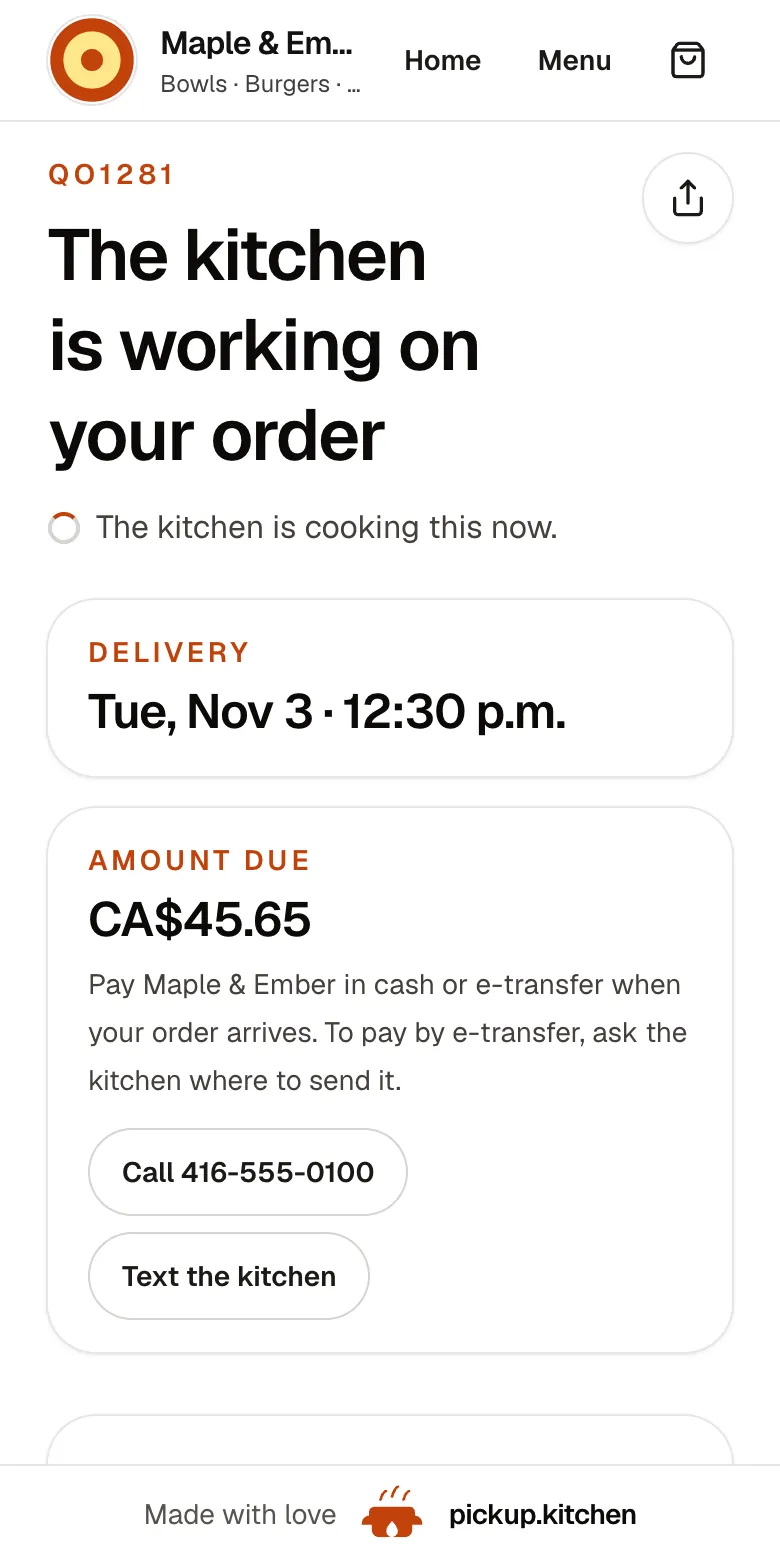
2Your guests
Every order gets a QO number
The guest sees their order number the moment they order, and the same number is on the kitchen's ticket.
See how it works3Your kitchen
Tickets on the kitchen screen
Online orders, walk-ins and finished tickets in their own lanes, each with its QO number and the time it is due.
See how it works
Shipday pricing, as Shipday publishes it
Shipday is delivery management software for restaurants, bakeries, grocers, florists and couriers. Its restaurant page says you can manage deliveries with your own drivers, third-party fleets, or both. Shipday says 7,500 or more businesses use it.
Basic is free for up to 300 orders a month, with 10 driver accounts and 1 dispatch account. It has a driver app, live tracking and photo and signature proof. The comparison table lists no route optimization on it. Professional is from US$49 a month with 300 orders included, then $0.10 an extra order, unlimited drivers and route optimization. Branded Elite is from US$99, then $0.20 an order, and adds a branded driver app and branded tracking. Business AI plans start at US$199.
What 100, 500 and 1,000 stops cost
We treat one stop as one Shipday order. Our stop is one drop-off address, so two orders at one door count once. Dollars below are converted at CA$1.38 to US$1, which is our assumption, not a quoted rate.
- 100 stops a month: Shipday US$0 on Basic, with no route optimization listed, or US$49 on Professional. pickup.kitchen CA$0.
- 500 stops a month: Shipday Professional US$69 (US$49 plus 200 orders at $0.10). pickup.kitchen CA$40, about US$29.
- 1,000 stops a month: Shipday Professional US$119 (US$49 plus 700 orders at $0.10). pickup.kitchen CA$90, about US$65.
- Stops that come from pickup.kitchen orders cost nothing extra. Stops you add by hand are billed at the rates above.
What Shipday does better
Shipday is a mature delivery tool, and for some kitchens it is the right one.
- Third-party delivery services. Branded Elite lists access to them in the US, Canada, Australia and the UK, to borrow a courier when your drivers are full. pickup.kitchen has none.
- AI. Shipday's higher plans list an AI operations manager, AI agents and an AI receptionist for phone orders.
- Connections. Professional and above list an API, webhooks and ready-made integrations.
- Customer re-engagement. Shipday lists branded tracking pages with promotions, Google review requests and refund help on third-party deliveries.
- A free tier that goes to 300 orders, and 24/7 chat and phone support on higher plans.
- Barcode scanning and ID verification on Branded Elite.
Where pickup.kitchen differs
Shipday dispatches deliveries. pickup.kitchen also takes the order. A guest orders on yourname.pickup.kitchen, pays by card, and the delivery lands on your board as a stop. Meal-plan delivery days become stops too. Shipday lists customer order forms and integrations, but no menu, kitchen screen, marketplace or meal plans in the pages we checked.
The day runs like a kitchen's day. You plan routes the night before, tap Optimize, then tap Send to driver. The driver can start tomorrow's route early and choose where they finish. Pay is worked out to the last delivery, not the drive home.
At the door, the driver must take a photo before Delivered turns on. The guest gets a live tracking link, then the photo, the time and the driver's note.
The customer list and marketing emails are in the same login. You write to guests who ordered last week without exporting a file.
What pickup.kitchen does not do
We have no third-party couriers, no public API, no AI agents and no review tools. We do not take signatures or scan barcodes. We do not plan delivery time windows per stop. Every driver is yours. If you need borrowed couriers or integrations with a POS you already love, Shipday fits better.
Who should pick which
Pick Shipday if you need back-up couriers, AI phone ordering, an API, or a free dispatch tool alongside an ordering system you already use. Pick pickup.kitchen if you cook the food, sell it on your own site, and deliver with your own drivers. The driver app is also sold on its own from 100 stops free, then CA$0.10 a stop.
Questions to ask Shipday before you sign
Ask for the answers in writing. Ask us the same kind of questions.
- Which plan has the route optimization I need? Check Shipday's plan table against your own list of features.
- How are extra orders billed in a busy month? Professional charges $0.10 each past 300, and Branded Elite charges $0.20.
- Branded Elite has no free trial, and Shipday's FAQ says you can ask for a refund within 7 days. Is that long enough to test a full week of deliveries?
- Which integrations connect my ordering tool, and who sets them up?
- Can I add third-party couriers on the plan I choose, and what does each delivery cost?
Step by step
How to get started
- 1Step 1: Count your stopsAdd up last month's delivery drops. Count two orders at one door once.
- 2Step 2: Add your driversInvite each driver by email. They open the route on their own phone and need no app store.
- 3Step 3: Bring in your stopsOrders from pickup.kitchen arrive on their own. Anything else, add by hand with a note for the driver.
- 4Step 4: Send the routeOptimize, check the order, and tap Send to driver. Watch it live with photos at the door.
FAQ
Questions
How much does Shipday cost?
Basic is free for up to 300 orders a month. Professional is from US$49 a month with 300 orders included, then $0.10 per extra order. Branded Elite is from US$99, then $0.20 an order. Business AI plans start at US$199 (Shipday, checked November 2026).
Is Shipday really free?
Its Basic plan is free for up to 300 orders a month, with 10 driver accounts. The comparison table lists no route optimization on it. Professional, from US$49, lists route optimization.
What is the best Shipday alternative for restaurants?
It depends on how you deliver. For back-up couriers and integrations, Shipday is strong. For one login that takes the order and routes your own drivers, pickup.kitchen has no monthly fee. Its driver app is free for 100 stops a month.
Does Shipday take online orders?
Shipday lists customer order forms and integrations. In the pages we checked it lists no menu, kitchen screen or marketplace. pickup.kitchen is the ordering site, the kitchen screen and the dispatch tool in one.
Can I use my own drivers with Shipday?
Yes. Shipday supports your own drivers, third-party fleets or both. pickup.kitchen supports your own drivers only. We supply no couriers.
Which is cheaper at 500 stops a month?
At 500 stops, Shipday Professional is US$69. pickup.kitchen is CA$40, about US$29, and nothing extra for stops that come from pickup.kitchen orders. Prices change, so check both pages.
Keep reading
- ProductDelivery driver appA delivery driver app for businesses that deliver: route on the phone, photo proof at the door, live tracking, dispatch. Free with pickup.kitchen orders.
- ProductRestaurant delivery softwareRestaurant delivery software for your own drivers: plan drops, send routes to phones, follow every stop live, and pay drivers. Free with your orders.
- ProductProof of delivery appA proof of delivery app for food businesses: drivers take a photo at the door, you see it live, and guests get it by text or email. Free for your orders.
- CompareRoutific alternatives for food deliveryRoutific alternatives for food delivery: Routific's free 100 orders and $150 flat plan against 100 free stops then CA$0.10 a stop, and where Routific wins.
- Productpickup.kitchen pricing: 10% per order, no monthly feepickup.kitchen pricing: free onboarding, no monthly fee, 10% per order. Delivery tools come with ordering. The driver app on its own is pay as you use.
Free onboarding. Pay as you use.
Keep more of every order
Keep the apps for new guests if they work for you, and let your regulars order on your own site.