Guide
How to set up online ordering for your restaurant, step by step
To set up online ordering for a restaurant, you need six things. They are a menu with real prices, hours and limits, a way to pay, a kitchen ticket, a findable link and a test order. This guide walks through each one, and shows how it looks in pickup.kitchen.
Free onboarding. Pay as you use. No monthly fee for ordering.
The short version
- Seven steps from menu to first real order
- How to set a limit your kitchen can keep, with a worked example
- The fees to compare, with numbers from the apps' own pages
Before you pick a tool: decide what you will sell online
Decide three things first. Pickup, delivery or both? Which dishes? How far ahead can a guest order?
An online menu is not your dining room menu. Cut dishes that go soggy in a bag. Keep the ones that cook in time and travel well. A shorter menu is faster to cook, easier to photograph and harder to get wrong.
Step 1: Write the online menu
Each dish needs a name, a one- or two-line description, a price and a photo. Add the options guests choose, such as size and add-ons, and a note field for requests like “no onions”.
Put allergens where guests see them before they pay. Canada names eleven priority allergens: eggs, milk, mustard, peanuts, crustaceans and molluscs, fish, sesame seeds, soy, sulphites, tree nuts, and wheat and triticale. The United States names nine: milk, eggs, fish, crustacean shellfish, tree nuts, peanuts, wheat, soybeans and sesame.
In pickup.kitchen you can send a photo of your menu or paste the text, and it reads the dishes and prices into a list. You check every line and fix what it got wrong. It does not read a PDF.
Step 2: Set hours, slots and limits
This is the step that decides whether online ordering helps you or hurts you. A site that promises more than the kitchen can cook gives you late tickets and angry guests.
Count the most orders your kitchen can finish in 15 minutes on a good night. Set the limit a little below that. Example: if you can finish 12 orders in 15 minutes, that is 8 in a 10-minute slot. Set the limit at 6 or 7. Raise it after two busy weeks if no ticket is late. Lower it if red tickets pile up.
- Slot length: pickup.kitchen offers 10 minutes to an hour.
- Orders per slot: when it is full, the slot closes on the site.
- Cutoff: stop taking orders at a time you choose, such as 8 p.m. the night before.
- Closed dates and Sold out today: take a day off the menu with one change.
A worked example: Friday dinner
Open 5 to 9 p.m. in 10-minute slots and you have 24 slots. At 6 orders a slot, the site can accept up to 144 orders that evening.
If your kitchen has never cooked more than 70 in a night, that ceiling is too high. Shorten your hours, or lower the limit, until the ceiling matches a night you have really done. Look again after every busy weekend.
Step 3: Choose how guests pay
Card payment on the page is the standard. A guest who has paid is likely to collect, and you are less likely to be left with a cooked order nobody picks up. Cash on pickup suits a few regulars, not the whole menu.
Card payments go through a processor. Stripe charges 2.9% plus CA$0.30 on domestic cards in Canada, with no setup or monthly fee. International cards add 0.8%, and each dispute costs CA$15. In pickup.kitchen, payments go to your own Stripe account.
Example: a $30 order with a domestic card costs 2.9% plus CA$0.30, or $1.17. A hundred such orders a month cost $117 in card fees, whichever ordering tool you use.
Step 4: Make sure the kitchen sees every order
An order that arrives as an email gets missed at 6 p.m. The order has to reach a screen the cook watches, with a sound. Ask yourself who watches that screen on a Friday night.
In pickup.kitchen, each paid order becomes a ticket with a chime. The cook taps Preparing, then Completed, and Completed tells the guest it is ready. Tap the sound button once on the tablet so the chime can play. See the kitchen display system page.
Step 5: Decide how delivery works
You have three choices. Skip delivery. Use your own drivers. Or use a courier service. Uber Eats also lists Uber Direct, a delivery service with no commission and pricing based on distance.
pickup.kitchen has routes, a driver app, a photo at the door and a live tracking link for your own drivers. It does not supply couriers. Decide the area you can reach quickly, and say so on your site.
Tell guests where to go and what to expect
Add your address, which door to use and what to say on arrival. A line such as “Say your name at the window” saves a question on every order.
Guests want three messages: the order was received, it is ready, and it was cancelled if you cannot make it. In pickup.kitchen, guests get an order page and an email after paying, then a message when it is Ready for pickup or On the way. If they agreed to texts at checkout, the same updates arrive by text.
Step 6: Put the link where guests look
Put your ordering link in your Instagram bio, on the door, on every bag and in your emails. Then add it to Google, because many guests search there first.
Google's help pages describe the steps. Open your Business Profile, choose Food ordering, then Add a link, and enter your ordering URL. Use Set as preferred and turn on Preferred for pickup or for delivery. Turning off Accept orders on your profile hides order options and links, so leave it on. In some regions the link shows under an Order online button. Check your profile after you save.
Step 7: Test it like a guest
Test before you share the link. Do it on your phone, on mobile data, not on your kitchen wifi.
- Place an order with a real card, and pay.
- Watch the ticket arrive and hear the chime. Mark it Preparing and Completed.
- Read the email and order page your guest gets.
- Try to order after the cutoff, and for a full slot. Both should be blocked.
- Cancel the test order and check the refund.
- Ask a friend to order without your help. Fix the step where they get stuck.
What online ordering costs: five fees to compare
Compare tools on five fees: setup, monthly, per-order commission, card processing and delivery. Here are numbers from the apps' own pages.
- Uber Eats Canada lists 20%, 25% or 30% on delivery orders, depending on the plan, and 2.9% for its webshop.
- DoorDash Canada lists 20%, 25% or 29% on delivery orders. It says its Online Ordering is commission-free, with payment processing fees only.
- Stripe charges 2.9% plus CA$0.30 on domestic cards in Canada.
- pickup.kitchen has free onboarding, no monthly fee and 10% per order. On card orders the guest pays the 10% at checkout, and Stripe's own fee comes out of your Stripe account.
- On a $40 delivery order, 30% is $12 and 29% is $11.60. A 10% fee is $4.
If you use GloriaFood
GloriaFood's home page says it will reach end of life on April 30, 2027, and that Oracle does not offer a direct replacement. If you use it, plan the move now. Export or keep a copy of your menu and customer list, and test a new tool for a month before the old one stops.
When something goes wrong
Decide in advance what you do when a dish runs out, a ticket is late or a guest does not show. Write the rule on a card by the screen.
For a dish that runs out, set its stock to zero so nobody can order it. For a whole day, mark it sold out. If you cancel a ticket in pickup.kitchen, the guest is told the order will not be made. If a card was charged, the message says it will be refunded. For a late order, call the guest before they arrive.
Common mistakes
Most failed launches fail in the same few ways.
- Taking orders the kitchen cannot cook, because there is no slot limit.
- No cutoff, so late orders land on a loaded kitchen.
- Options without prices, so the total is wrong.
- Nobody watching the screen.
- Skipping the test order.
- A link on the site but not on Google.
Real screens
Do it on pickup.kitchen
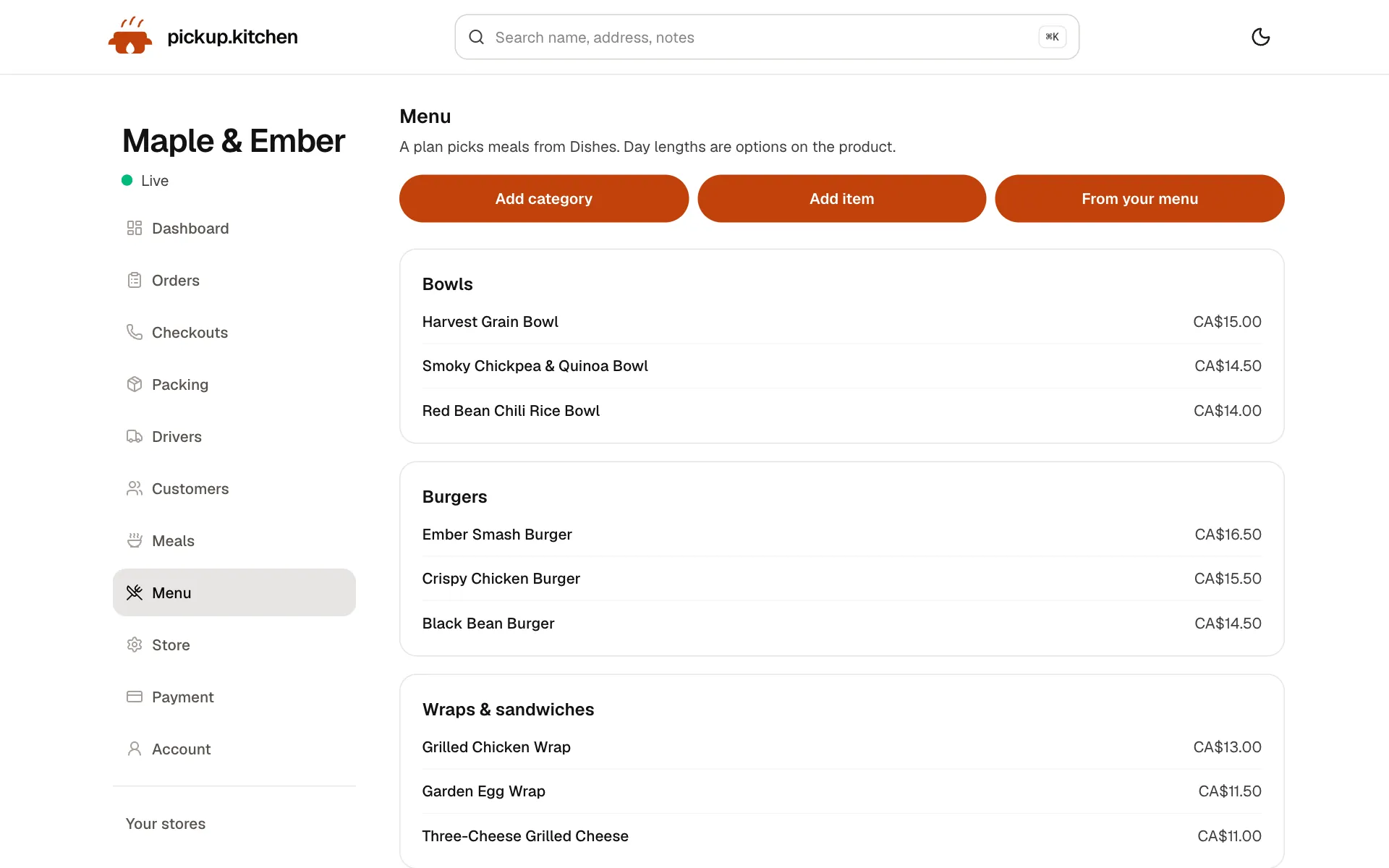
1You
Change the menu any time
Dishes, prices, photos and sold-out in one place. Your site changes the moment you save.
See how it works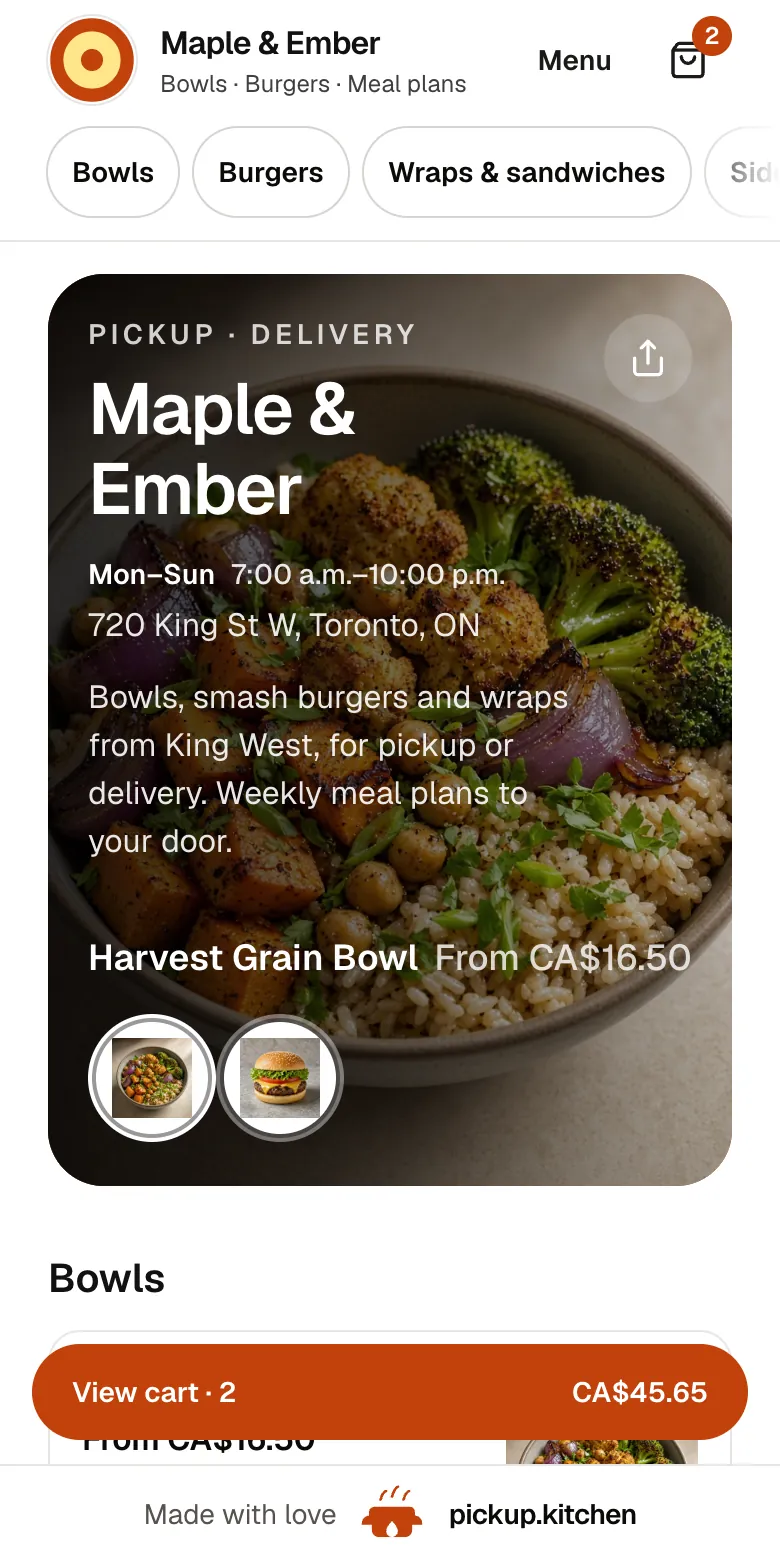
2Your guests
Your menu, on your own site
yourname.pickup.kitchen shows your dishes with photos and prices, and each guest picks pickup or delivery.
See how it works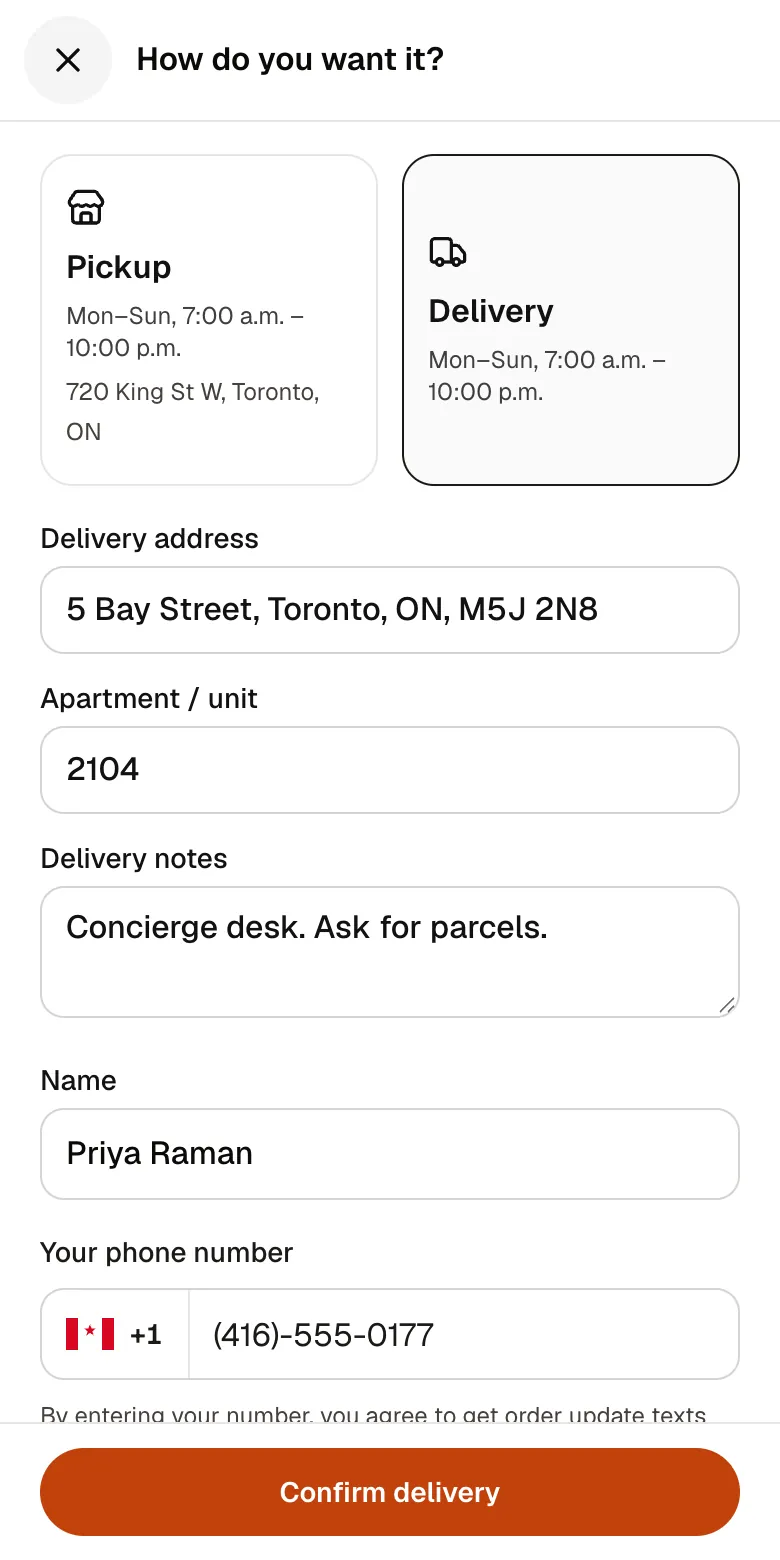
3Your guests
A checkout that takes seconds
A pickup time or a delivery address, then pay by card. No app to install and no account before paying.
See how it works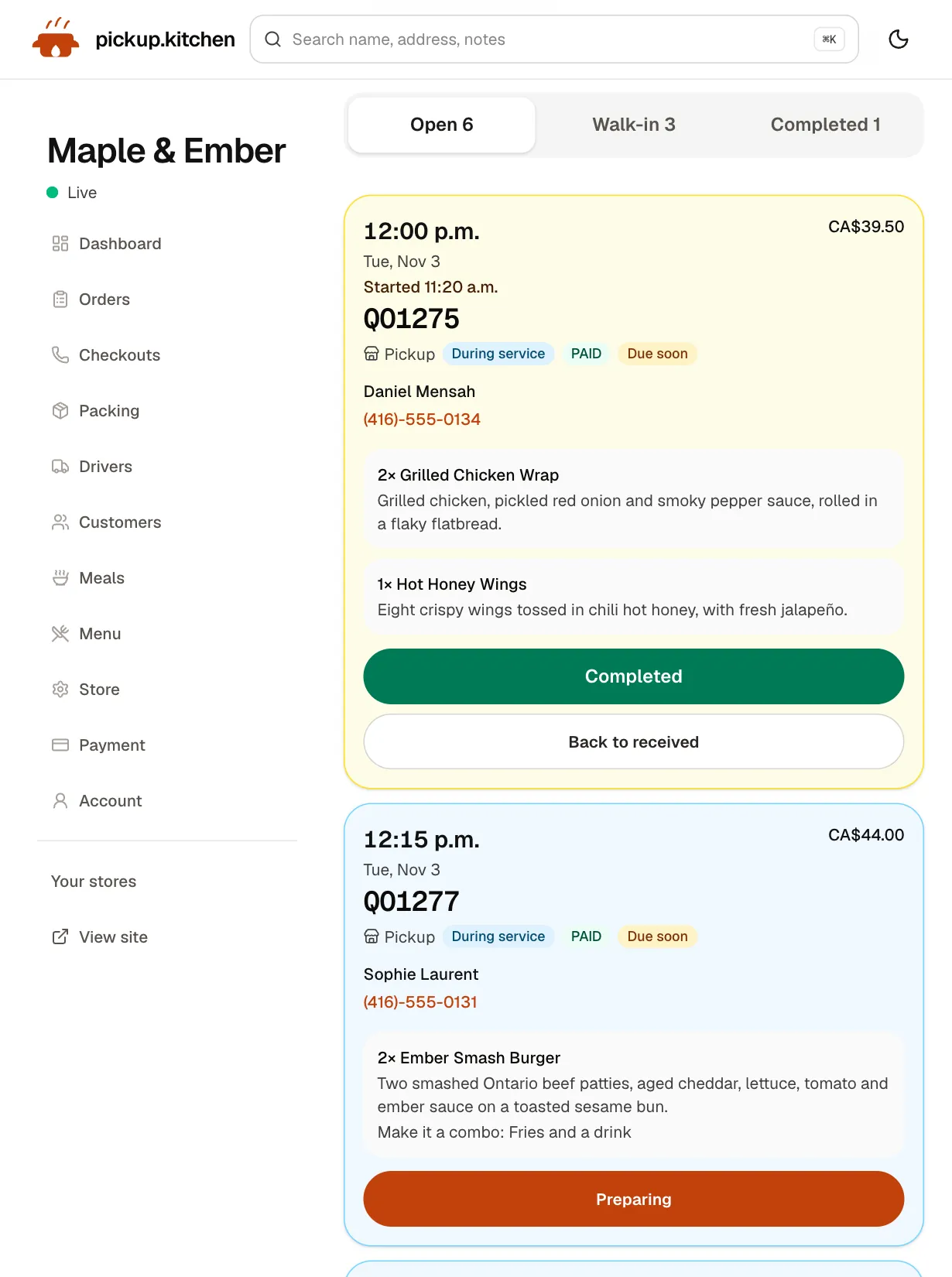
4Your kitchen
Tickets on the kitchen screen
Online orders, walk-ins and finished tickets in their own lanes, each with its QO number and the time it is due.
See how it works
FAQ
Questions
How do I set up online ordering for my restaurant?
Write an online menu, set hours and limits, and add card payments. Send orders to a kitchen screen, share the link and add it to Google. Then test an order from your phone.
How long does it take to set up online ordering?
With a menu ready, a day is realistic. The slow part is checking prices and options, not the tool. Do the test order before you share the link.
How do I create an online ordering website?
Use a tool that builds the site from your menu, takes card payment and sends a ticket to the kitchen. pickup.kitchen builds yourname.pickup.kitchen from a photo or pasted menu.
How much does online ordering cost?
Compare setup, monthly, commission, card processing and delivery fees. pickup.kitchen has free onboarding, no monthly fee and 10% per order, and Stripe charges its own card fee.
Do I need a website to take online orders?
No. An ordering page with a link you can share is enough. Put the link in your Instagram bio and on your Google Business Profile.
Can I take online orders without DoorDash or Uber Eats?
Yes. Use your own ordering page and send guests to it. Those apps stay in place for discovery if you want them, and their orders stay in their own apps.
Keep reading
- ProductOnline ordering system for restaurantsAn online ordering system for restaurants: your own site at yourname.pickup.kitchen, time slots that close when full, and a kitchen screen. 10% per order.
- ProductRestaurant website builder with orderingA restaurant website builder where the menu is the checkout. Get yourname.pickup.kitchen with photos, hours, and ordering. Free onboarding, 10% per order.
- ProductKitchen display system for restaurantsA kitchen display system that runs in the browser: tickets arrive with a sound, cooks tap Preparing and Completed, and guests hear when it is ready.
- ProductRestaurant POS systemsRestaurant POS systems differ. This one takes walk-in and phone orders on your online menu and sends them to your kitchen screen. No hardware to buy.
- Productpickup.kitchen pricing: 10% per order, no monthly feepickup.kitchen pricing: free onboarding, no monthly fee, 10% per order. Delivery tools come with ordering. The driver app on its own is pay as you use.
Sources
- Google Business Profile Help: Manage online ordering options (checked November 2026)
- Stripe Canada pricing (checked November 2026)
- Uber Eats Canada merchant pricing (checked November 2026)
- DoorDash Canada merchant plans (checked November 2026)
- GloriaFood end-of-life notice (checked November 2026)
- Health Canada: Food allergies, priority allergens (checked November 2026)
- FDA: Food allergies, major allergens (checked November 2026)
Free onboarding. Pay as you use.
Ready to take orders?
Your own ordering site with pickup, delivery and meal plans. No monthly fee for ordering.