Email marketing
Restaurant email marketing to the guests who already ordered
Restaurant email marketing means writing to the people who have already eaten from you and telling them what is new. pickup.kitchen saves each guest as they order on your site, and lets you send marketing emails to that list from the same login. Here is what to send, and when.
- A list that fills from your own orders
- Marketing emails sent from the same login as your orders
- Five ready examples to copy and edit
Free onboarding. Pay as you use. No monthly fee for ordering.
Real screens
See it in the app
Real screens from pickup.kitchen, the same ones you and your guests use.
1You
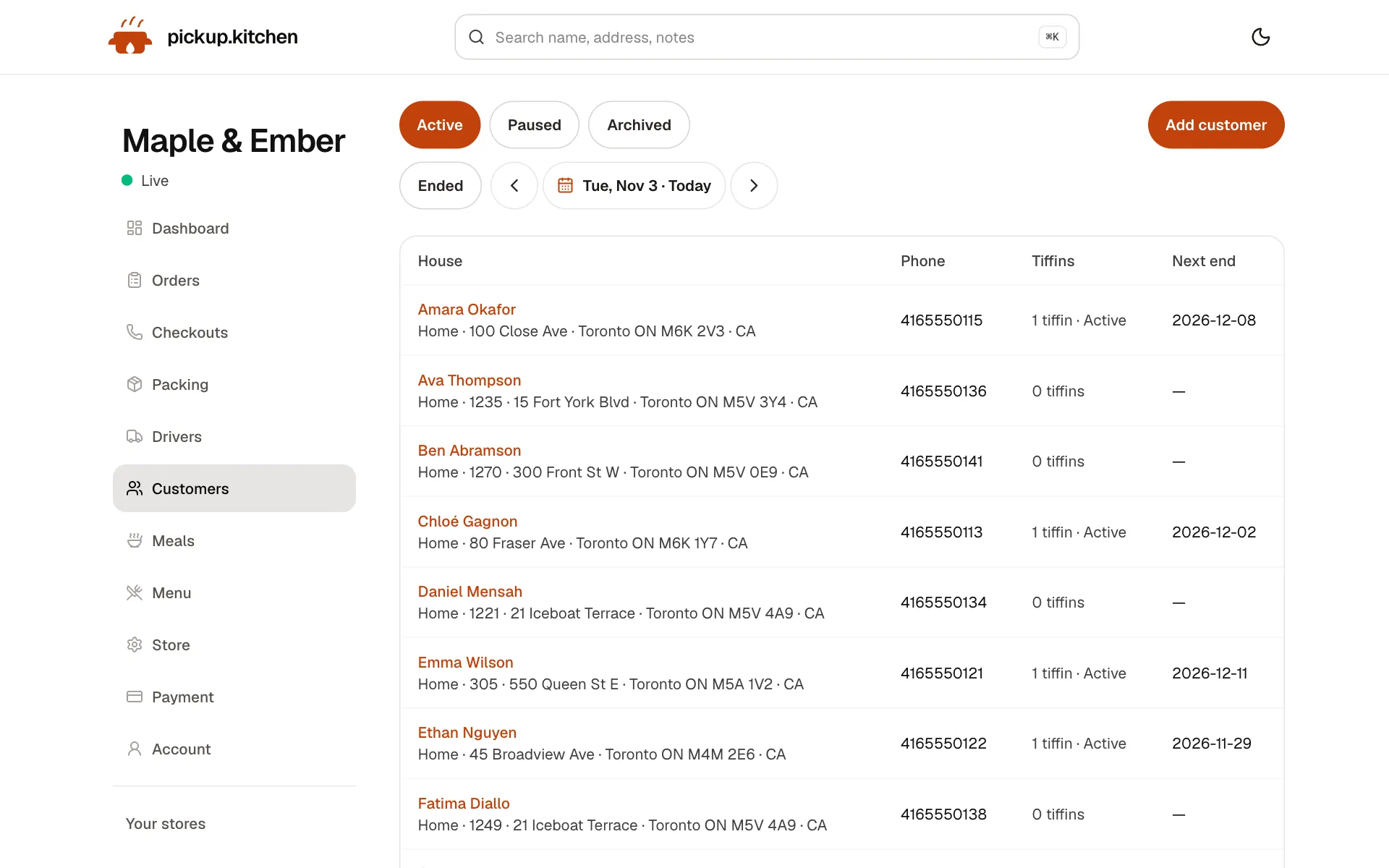
Every customer in one list
Who ordered, how often and what they spent, so you know your regulars and who to win back.
See how it works2Your guests
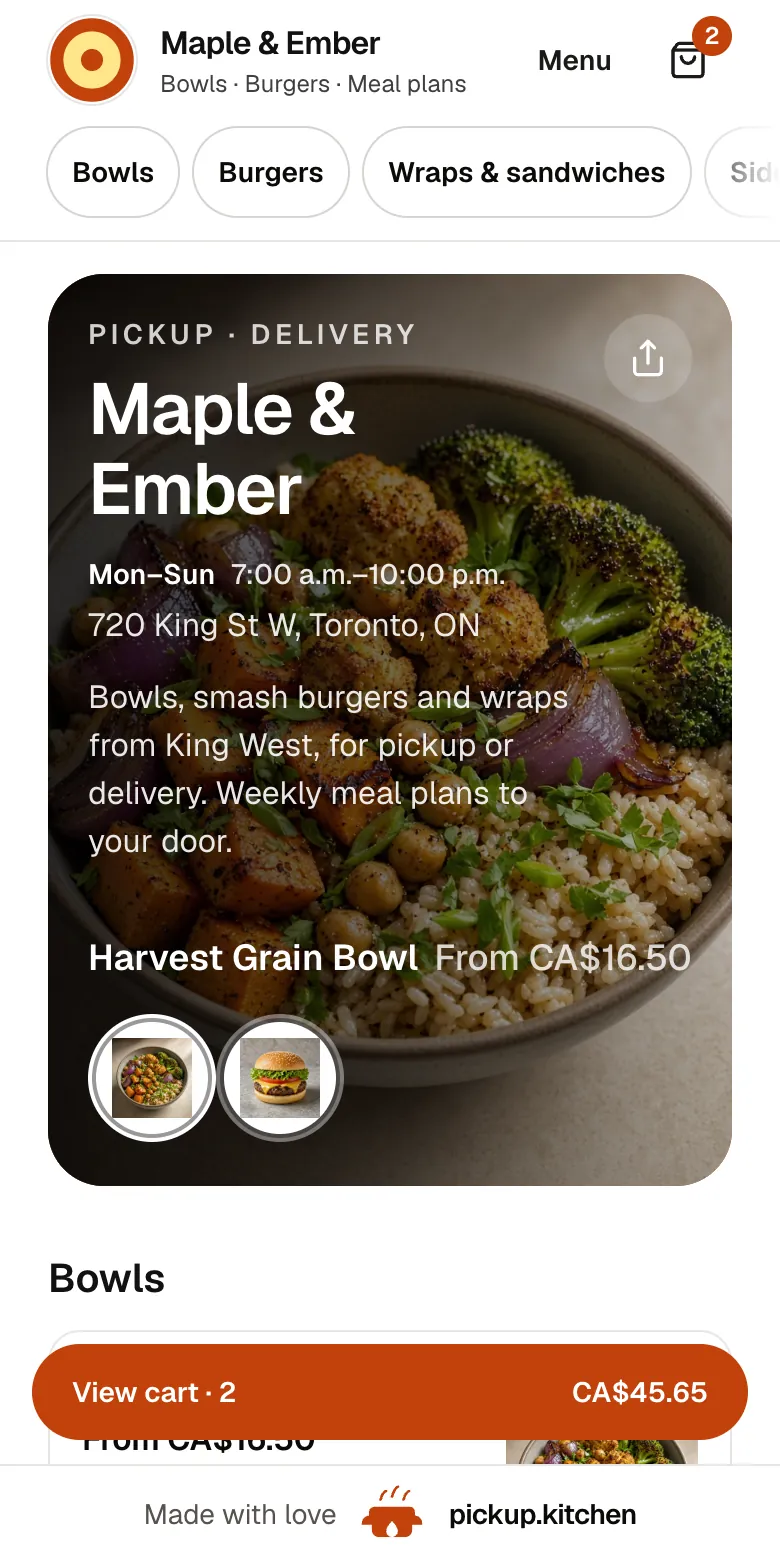
Your menu, on your own site
yourname.pickup.kitchen shows your dishes with photos and prices, and each guest picks pickup or delivery.
See how it works
In one login
What you get
- List from ordersGuests who order on your site are saved with their name and phone.
- Marketing emailsWrite one email and send it to the guests on your list.
- Order emails on their ownConfirmed, ready, on the way, and delivered messages need no setup.
- Your own linkEvery email points guests to yourname.pickup.kitchen to order.
- Email at checkoutAsk new guests for an email address when they order.
Why email works for a kitchen
Your Instagram reach belongs to Instagram. It can drop on any Tuesday. Your email list belongs to you. A guest who ordered a rice plate last month will see a message in their inbox, in their own time.
A kitchen does not need a campaign calendar. It needs a short, honest email when something changes: a new dish, a closed week, a quiet night.
Five restaurant email marketing examples to copy
Each one is short. Each has one link: your own site, at yourname.pickup.kitchen, so a tap takes the guest to the menu.
- New dish. Subject: “New on the menu: miso salmon bowl”. Body: two lines on what is in it, the price, and the days it runs.
- Quiet night. Subject: “Tuesday pickup, ready in 15 minutes”. Body: slots are open tonight, order before 6 and it is ready when you arrive.
- Holiday hours. Subject: “We are closed Dec 25 and 26”. Body: the last day to order, and when you reopen.
- Weekly menu. Subject: “This week: lemon chicken, pesto pasta, three salads”. Body: the dishes by day, and the order cutoff for the week.
- Win-back. Subject: “It has been a while, Sofia”. Body: one line about what is new since their last order, and a link to the menu.
Write the email in five lines
Keep the subject under six words and say the one thing in it. Open with a line that sounds like a person, such as “New on the menu this week.” Then give two lines: what it is, the price, and the days.
End with one link to your site. Sign it with your own name. If a guest cannot read it in ten seconds, it is too long.
Subject lines that get opened
Say what is inside. Skip tricks.
- “Lemon chicken is back, this week only”
- “Closed Monday, open Tuesday at 11”
- “Order by 8 p.m. for Saturday”
- “Kenji's pork bowl is on tonight”
- “Slots open for Friday dinner”
When to send
Send when the guest can act. A dinner special lands best in the afternoon, while slots are still open. A holiday notice should go out before your cutoff, not after it.
If you sell weekly plans, send the next week's menu before the plan ends, so the renewal feels like a continuation.
Start with one email a month. Add more only if guests keep ordering after each one.
What you can send from pickup.kitchen
Every guest who orders on your site is saved on your customer list. From the same login you send a marketing email to the people on it. There is no second tool to pay for and no export to a different system.
This is separate from the emails guests already get about their own order: confirmed, ready for pickup or on the way, and delivered. Those go out on their own. Marketing emails are the ones you write.
A simple first month
Week one: turn on the email field at checkout and tell staff to mention it. Week two: send your first email, a new dish or an hours notice. Week three: look at the dashboard for any lift in paid orders.
Week four: send a second email in the same style. Keep what worked and drop what did not.
Resist the urge to send weekly at the start. A monthly note that people read is better than a weekly one they skip.
See whether it worked
The simplest test is orders. Send on a Tuesday, then look at the dashboard, which shows paid orders for the last 7 days and the last 30. If Tuesday and Wednesday were busier than last week, the email earned its place.
Keep the same subject style for a few sends. Change one thing at a time, such as send time or the number of dishes in the email.
Keep your list clean
Whatever tool you use, only email guests who gave you their address, say who you are, and make it easy to stop. A smaller list of people who want to hear from you beats a big list of people who ignore you.
Add the email field at checkout in your settings, so new guests leave an address when they order.
What this is not
It is not text-message marketing, and there are no loyalty points. Guests who agree at checkout get order texts, like “ready for pickup”. Promotions go by email.
If you need restaurant marketing software that runs birthday offers and point programs, this is not that. It is the plain way to tell your regulars what is new.
FAQ
Questions
What is restaurant email marketing?
Sending emails to your guests about new dishes, specials, and closures. It works because the list is yours, unlike social media reach.
What should a restaurant email say?
One thing, briefly: a new dish, a hours change, or a slot that is open tonight. Add one link to your menu. See the five examples above.
How often should I send restaurant marketing emails?
Start with one a month. If guests order after each one, move to every two weeks. Send plan menus weekly if you sell meal plans.
Is there restaurant email marketing software built into pickup.kitchen?
Yes. Guests who order on your site are saved to your customer list. You write and send marketing emails to that list from the same login. It is included with ordering.
Does it do text message marketing or loyalty points?
No. Texts are for order updates to guests who agree at checkout. There are no points or rewards.
What does it cost?
Marketing emails are included with ordering. Free onboarding, no monthly fee, and 10% per order.
Keep reading
- ProductRestaurant CRMA restaurant CRM that fills itself: every guest who orders on your site is saved with their orders and details, and you can email them from the same login.
- ProductOnline ordering system for restaurantsAn online ordering system for restaurants: your own site at yourname.pickup.kitchen, time slots that close when full, and a kitchen screen. 10% per order.
- ProductRestaurant management systemA restaurant management system for takeout and delivery: every part in one login, from the ordering site to the kitchen, counter, customers and drivers.
- ProductMeal prep business softwareMeal prep business software that turns paid plans into tomorrow's pack list: skips, pauses, extra days, labels, and delivery in one login. 10% per order.
- Productpickup.kitchen pricing: 10% per order, no monthly feepickup.kitchen pricing: free onboarding, no monthly fee, 10% per order. Delivery tools come with ordering. The driver app on its own is pay as you use.
Free onboarding. Pay as you use.
Put your kitchen on pickup.kitchen
No monthly fee for ordering. Send us your menu and we set it up with you, then you pay as you use.