Customers
A restaurant CRM that fills itself from your orders
A restaurant CRM is a list of the people who eat from you, with what they ordered and a way to reach them. pickup.kitchen builds that list as guests check out on your site. Their name, phone, and past orders stay with you, and you can email them from the same login.
- Every guest on one customer list, built from your orders
- Orders, addresses, allergies, and notes on each guest
- Marketing emails to the list from the same login
Free onboarding. Pay as you use. No monthly fee for ordering.
Real screens
See it in the app
Real screens from pickup.kitchen, the same ones you and your guests use.
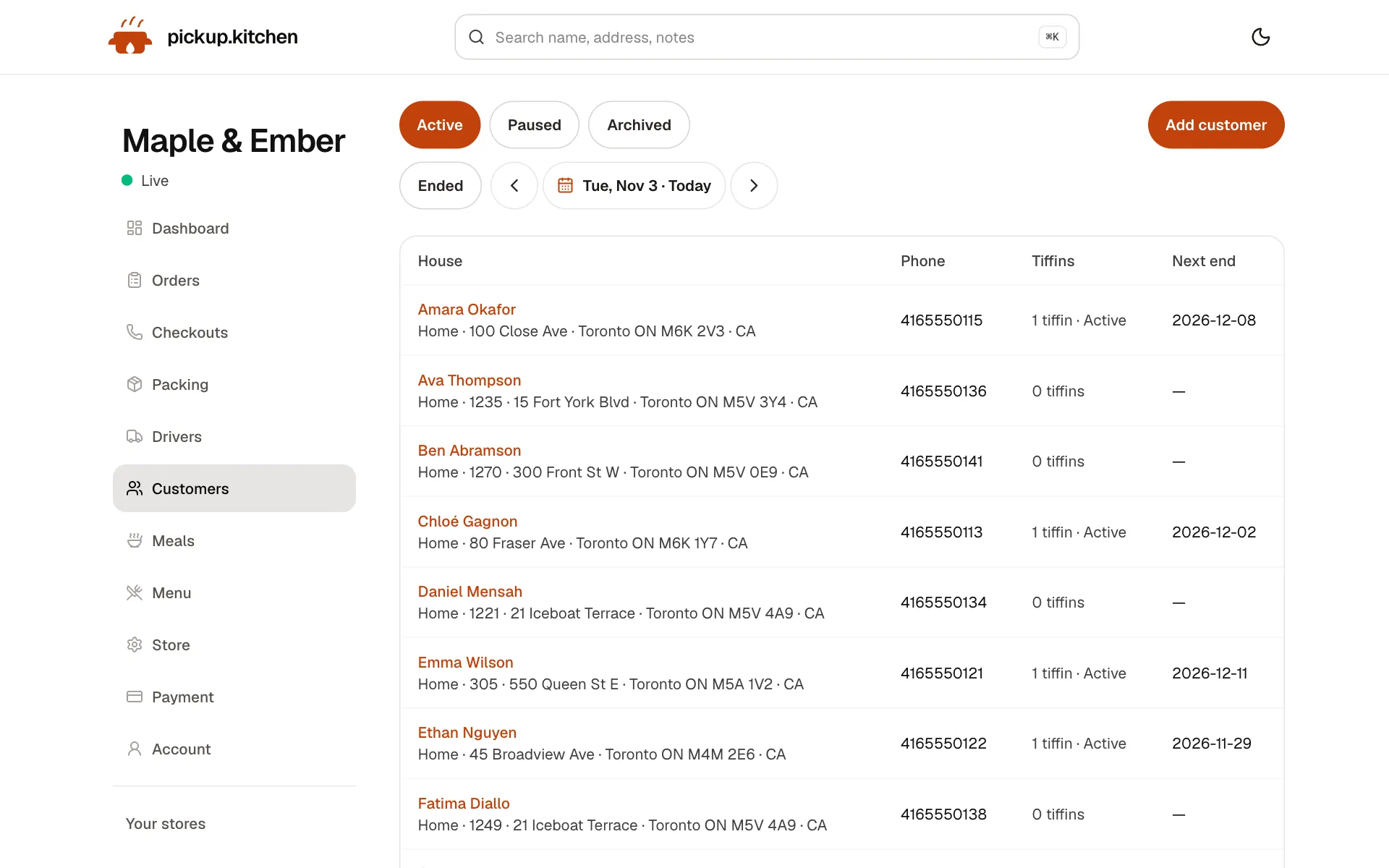
1You
Every customer in one list
Who ordered, how often and what they spent, so you know your regulars and who to win back.
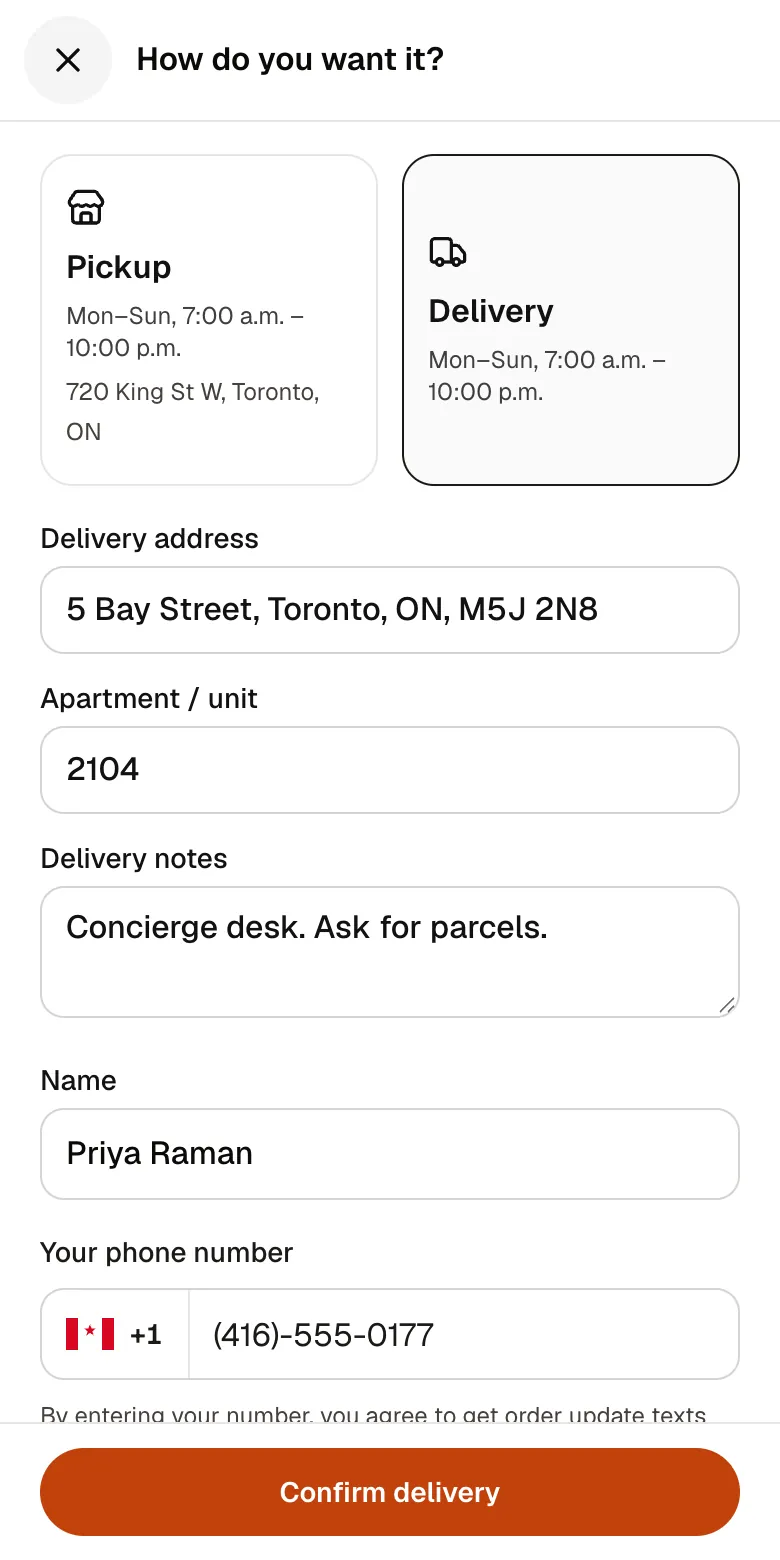
2Your guests
A checkout that takes seconds
A pickup time or a delivery address, then pay by card. No app to install and no account before paying.
See how it works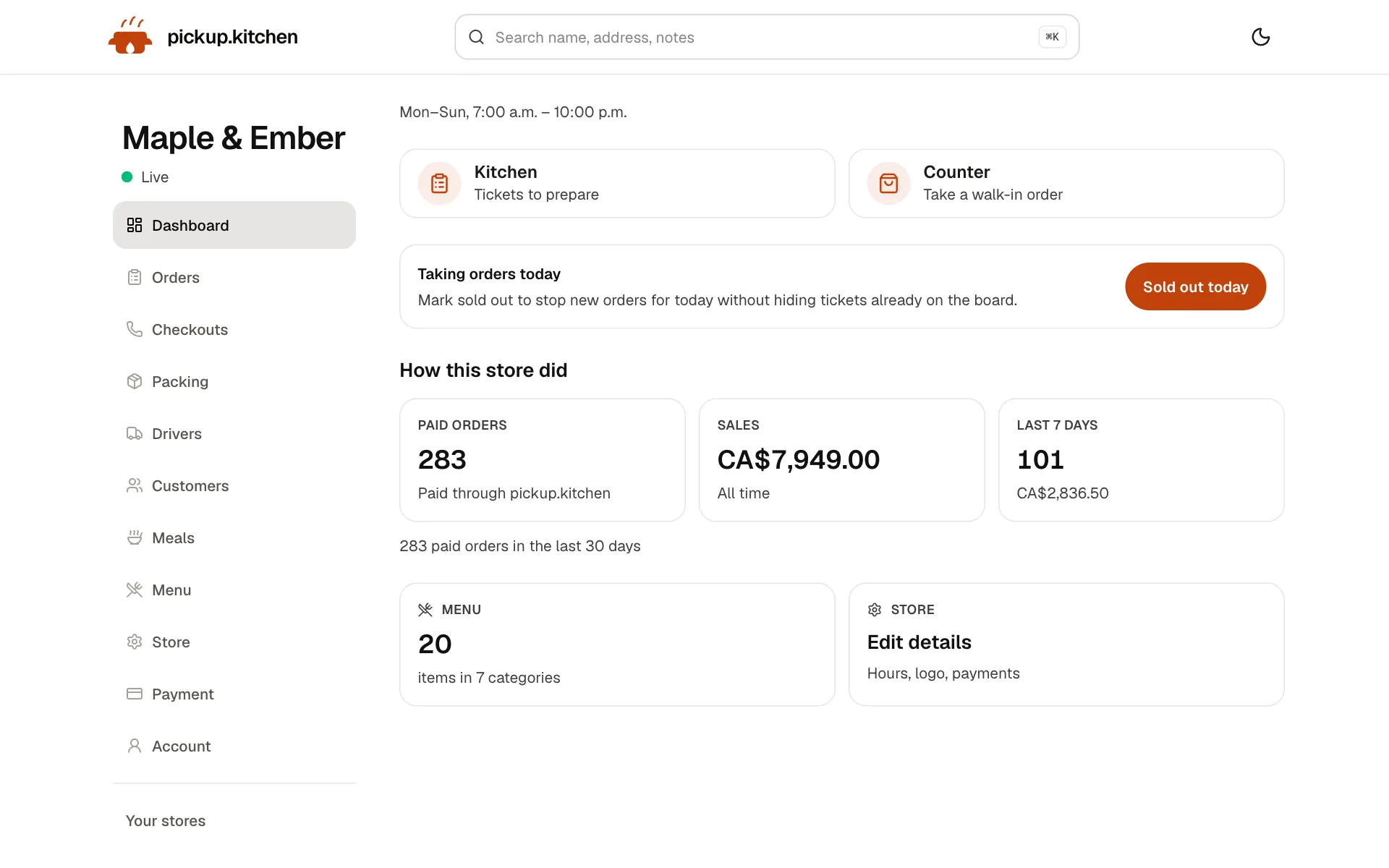
3You
Your day at a glance
Today's orders, sales and what needs you next, the moment you sign in.
See how it works
In one login
What you get
- Automatic listGuests who order on your site are saved with their name and phone.
- Order historyEvery order for a guest, with status and total.
- Addresses with door notesSeveral addresses per guest, a default, and a note the driver sees.
- Allergies and notesAllergies show on labels, and internal notes stay with your team.
- SearchFind a guest by name, phone, address, or notes.
- Marketing emailsSend an email to your guests from the same login.
What a restaurant CRM is for
Most restaurants know their regulars by face and lose everyone else. A restaurant CRM, or customer database, keeps the rest: who ordered, what they ordered, and how to reach them.
You do not need an expensive system for this. You need a list that updates itself, because a spreadsheet you fill in at 11 p.m. stops being filled in by Thursday.
How the list fills itself
A guest who orders on your site is added automatically. Checkout always asks for a phone number. In your settings you can also ask for a name and an email, and the name prints on the kitchen ticket.
A walk-in order typed at the counter carries the guest's name and phone, unless they would rather not give one. You can add a customer by hand at any time.
If you already keep customers in a spreadsheet, send it to us and we add them, along with any meal plans.
Get your first hundred guests on the list
The list grows with orders, so the fastest way to fill it is to send people to order. Put your link in your Instagram bio, on the door, and on the bag.
Turn on the email field at checkout so new guests leave an address. At the counter, ask for a name so the ticket is easy to call. If you already have a customer sheet, send it and we add everyone, including meal plans.
What is on each guest
Open a guest and you see their orders, newest first, each with its status and total. You can click into any one.
A guest can have several addresses, each with a label, a unit, and a door note such as “side door on King, buzz 2”. One is the default for delivery. The note shows to the driver on the day that address is used.
You can add allergies and notes. Allergies show on every label for a plan customer, so nobody has to remember. Internal notes are for you and your staff only.
Find a guest in a few taps
Type two letters into search and the list narrows. Search matches name, phone, address, and notes.
Fatima A. calls to say her order arrived cold. You type her name, open her last order, and see what she ordered, when, and whether it was delivery. You answer her by name. That conversation is the difference between a lost guest and a regular.
Use the list
The list is only worth keeping if you use it. Here are three plain ways kitchens do.
Launch a dish. When a new menu goes up, email everyone on the list instead of hoping the Instagram algorithm shows it. The restaurant email marketing page covers sending.
Fix a bad order. Call or text the guest, with their phone number one tap away from the order.
Run weekly plans. The customer list for plan customers shows who is active, paused, or ending soon. Offer a renewal before the last box goes out.
Questions your list can answer
Open a guest and count their orders. Three in a month is a regular, so say hello by name and keep an eye on their order. One order in six months is a guest worth a note about what is new.
Look at repeat addresses. If five guests on one street order every week, a driver stop there is cheap. That is a reason to promote delivery on that street.
Keep the list useful
Add the allergy the first time a guest mentions it, so every label carries it. Fix addresses that did not land on the map with Fix the address, so the driver is not hunting for a door.
Use the notes for what staff actually need: “likes extra sauce”, “call from the street, doorbell is broken”.
Keep only what you need
A customer list holds personal details, so collect what helps you cook and deliver: name, phone, address, allergies. Do not add what you will never use. Tell guests why you ask, and answer if they ask you to remove them.
Whose list is it
Orders placed on your own site put the guest on your list. Orders that come through a marketplace's app do not. That is the main reason to keep a direct channel running next to any marketplace.
Only email people who gave you their email so you can contact them, and make it easy for them to say stop.
What this CRM is not
It is not a loyalty program. There are no points, stamps, or rewards. It is the list, the order history, and the email, which is enough for most kitchens to start using their regulars.
FAQ
Questions
What is a restaurant CRM?
A system that keeps your guests, their orders, and their contact details in one place, so you can serve them better and reach them again.
Do I need restaurant CRM software if I already have a POS?
Only if your POS does not keep an email or phone for online and delivery guests. pickup.kitchen saves them as they order, and you can email the list.
Can I import my existing customers?
Yes. Send us your spreadsheet and we add the customers and any meal plans. You can also add a customer by hand.
Is there a restaurant customer database that includes delivery addresses?
Yes. Each guest can have several addresses with a unit and a door note. The driver sees the note on the day that address is used.
Does it have a loyalty program?
No. It has the list, the order history, and marketing emails. There are no points or rewards.
What does the customer list cost?
It is included. Ordering has free onboarding, no monthly fee, and 10% per order.
Keep reading
- ProductRestaurant email marketingRestaurant email marketing from the list your orders build: send menus, specials, and closed dates to your guests. Includes five email examples to copy.
- ProductOnline ordering system for restaurantsAn online ordering system for restaurants: your own site at yourname.pickup.kitchen, time slots that close when full, and a kitchen screen. 10% per order.
- ProductRestaurant management systemA restaurant management system for takeout and delivery: every part in one login, from the ordering site to the kitchen, counter, customers and drivers.
- ProductMeal prep business softwareMeal prep business software that turns paid plans into tomorrow's pack list: skips, pauses, extra days, labels, and delivery in one login. 10% per order.
- Productpickup.kitchen pricing: 10% per order, no monthly feepickup.kitchen pricing: free onboarding, no monthly fee, 10% per order. Delivery tools come with ordering. The driver app on its own is pay as you use.
Free onboarding. Pay as you use.
Put your kitchen on pickup.kitchen
No monthly fee for ordering. Send us your menu and we set it up with you, then you pay as you use.