Restaurant management
A restaurant management system for takeout, delivery, and plans
A restaurant management system should put orders, the kitchen, the counter, your customers, and delivery in one place. pickup.kitchen does that for takeout, delivery, and weekly meal plans. It does not try to run sit-down service, payroll, or your books.
- Ordering, kitchen, counter, customers, and delivery in one login
- Each person signs in to only their job
- Free onboarding, no monthly fee, 10% per order
Free onboarding. Pay as you use. No monthly fee for ordering.
Real screens
See it in the app
Real screens from pickup.kitchen, the same ones you and your guests use.
1You
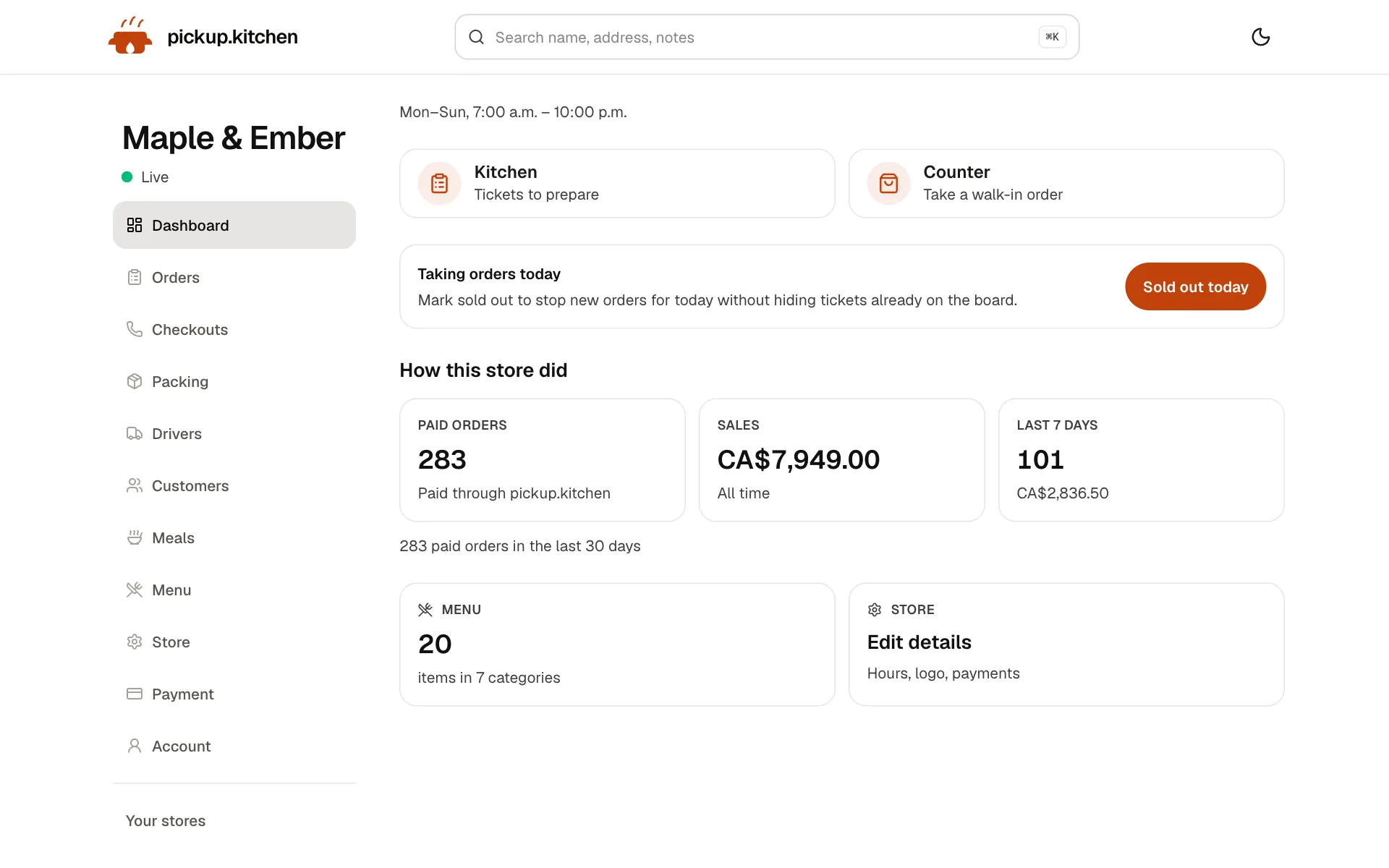
Your day at a glance
Today's orders, sales and what needs you next, the moment you sign in.
2Your kitchen
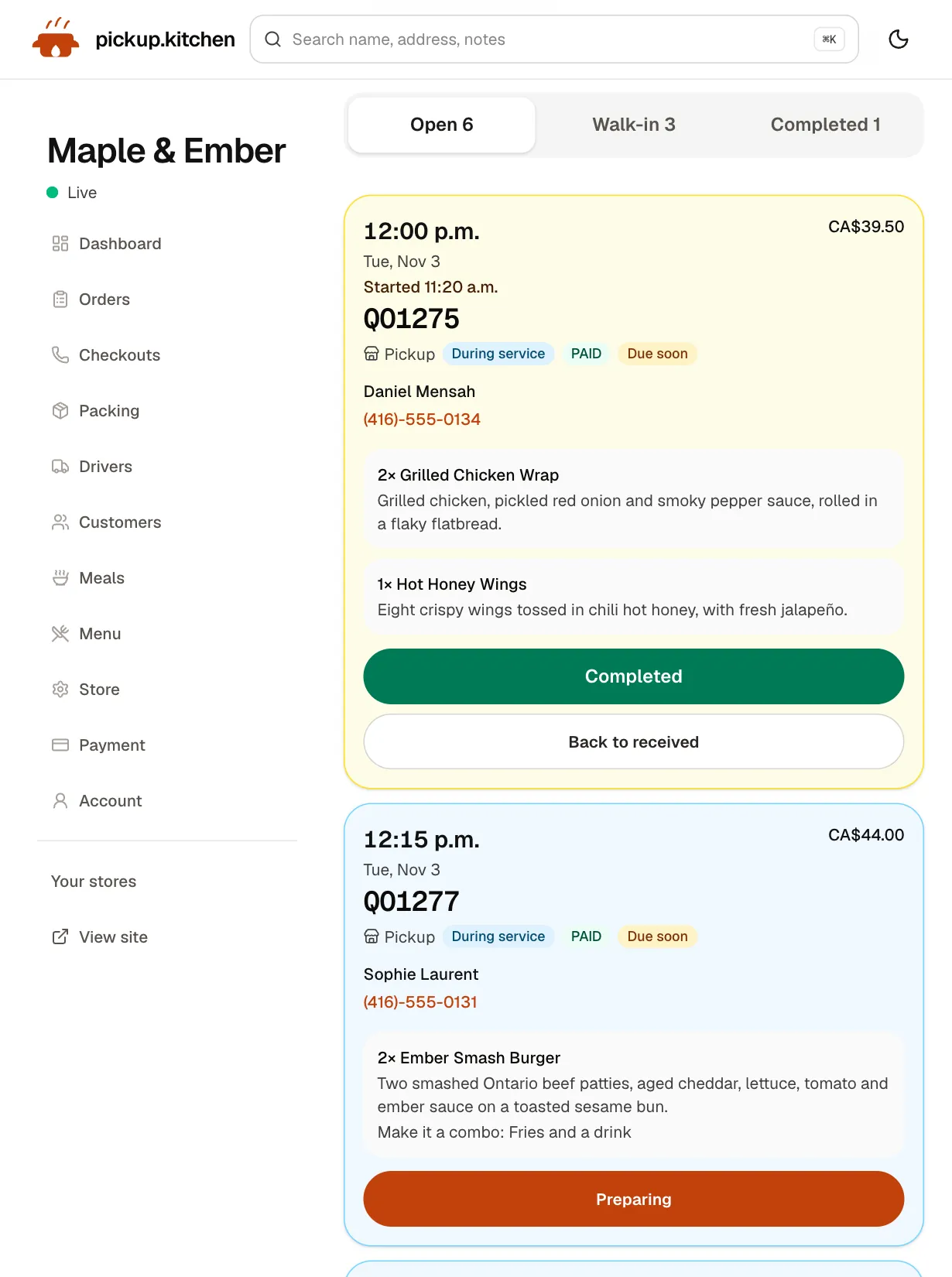
Tickets on the kitchen screen
Online orders, walk-ins and finished tickets in their own lanes, each with its QO number and the time it is due.
See how it works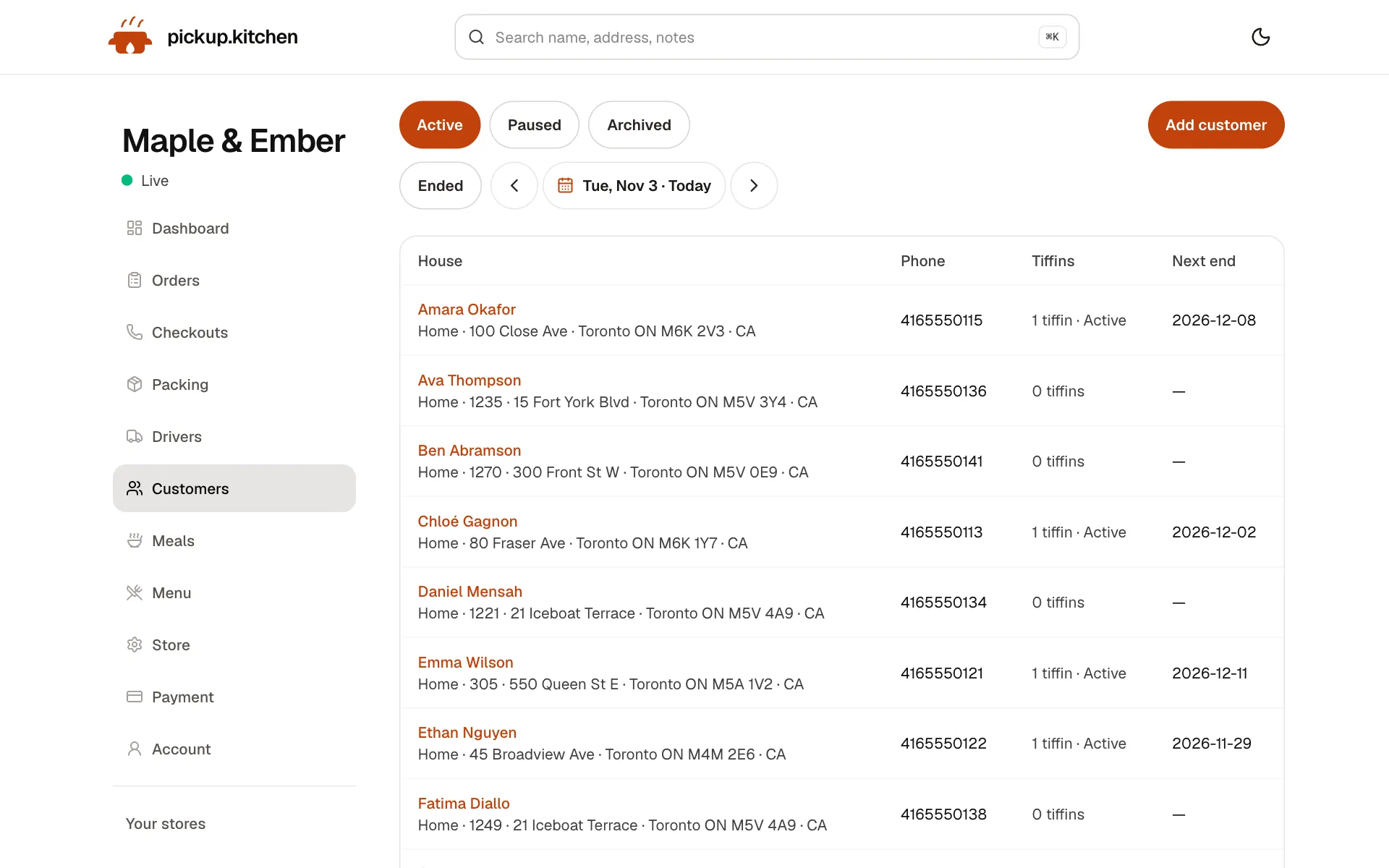
3You
Every customer in one list
Who ordered, how often and what they spent, so you know your regulars and who to win back.
See how it works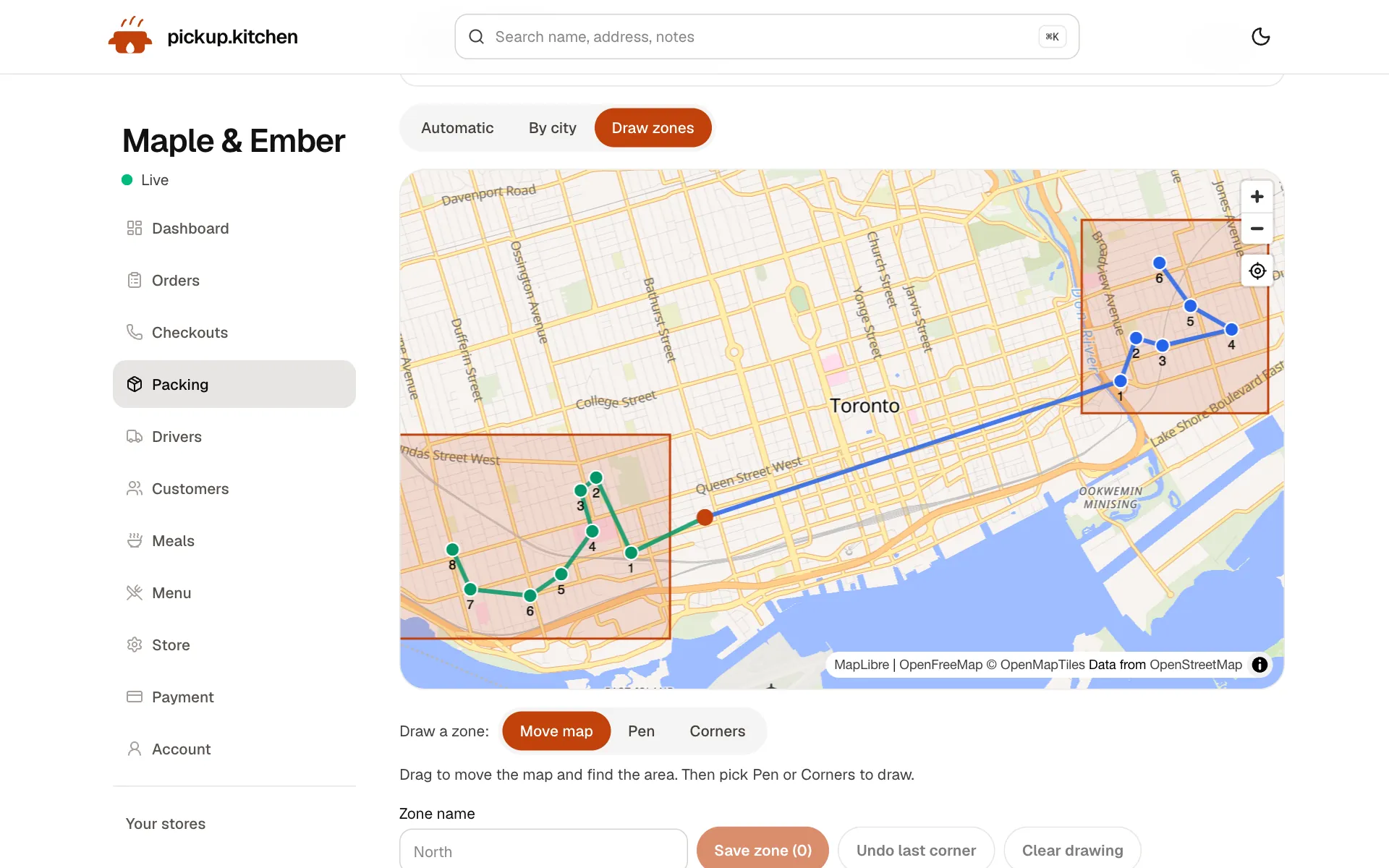
4Delivery
Your routes on a map
Stops come from your orders, or you add them by hand. Optimize puts them in order for the roads.
See how it works
In one login
What you get
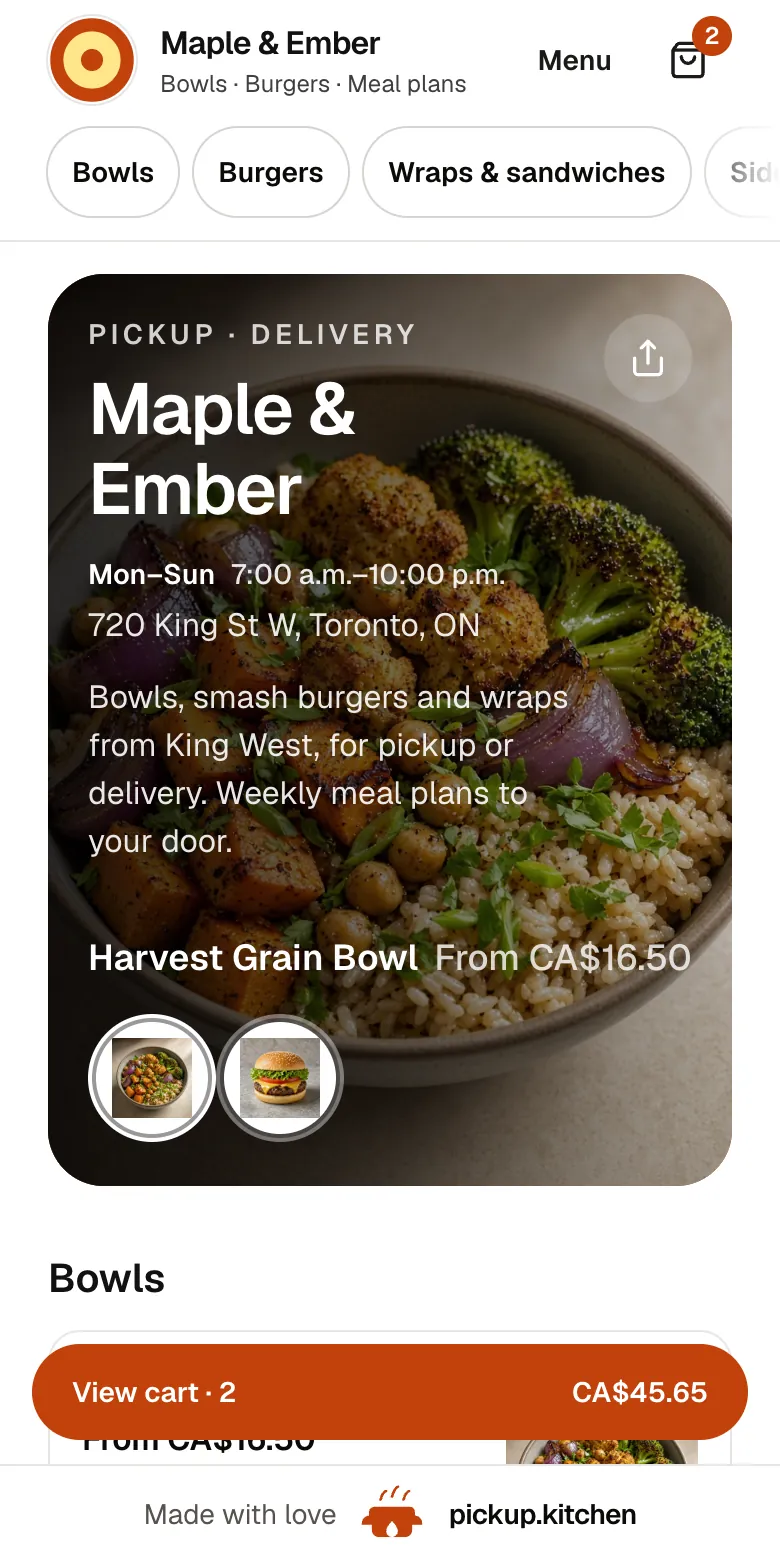
- Online orderingYour own site, time slots, and card payment, with a free listing on pickup.kitchen.
- Kitchen screenLive tickets, Preparing and Completed, and a message to the guest.
- CounterWalk-in and phone orders on the same menu, onto the same screen.
- Customers and emailOne list of every guest, and marketing emails to them.
- Meal plansPlans with skips, pauses, a prep list, and labels.
- DeliveryRoutes, driver app, tracking, photo proof, and driver pay.
What is in the system
One login opens the whole business. Each part has its own page on this site, so here is the short map.
- Online ordering on your own site, yourname.pickup.kitchen, plus a free listing on pickup.kitchen.
- A kitchen screen where tickets arrive with a sound and the guest is told when it is ready.
- A counter for walk-in and phone orders on the same menu.
- A customer list built from every order, and marketing emails to the people on it.
- Meal plans with start and end dates, skips, pauses, a prep list, and labels.
- Delivery: routes, the driver app, live tracking, photo proof, and driver pay.
- Menu import from a photo, card payments through Stripe, and cash orders you mark paid.
A Tuesday on pickup.kitchen
Morning. You open the dashboard. It shows yesterday's paid orders and any unpaid checkouts. A supplier is late, so you set that dish's stock to zero and lower the slot limit for lunch. Prices you change apply to the next order.
Lunch. Tickets chime on the kitchen screen. Emily S. from next door walks in and orders two bowls at the counter. Staff type them in, mark them paid in cash, and they appear in the Walk-in lane. The cook taps Preparing, then Completed, and the online guests get “Ready for pickup”.
Afternoon. You open Deliveries for tomorrow, split the drops between two drivers, check the order, and send the routes. The drivers' phones buzz.
Night. You write one email to guests who ordered last week and send it from the customer list.
Each person sees only their job
You, the owner, sign in with your own account and see everything. Cooks and counter staff open the kitchen screen with a PIN. They can take orders and move tickets, and they do not see your settings or your sales.
Drivers have a separate login for the driver app. It never opens your admin or your kitchen. Remove a driver and they can no longer sign in to drive for you.
Which parts to switch on first
You do not have to adopt everything on day one. Most kitchens start with online ordering and the kitchen screen. Those two are enough to take and cook orders.
Add the counter when you want phone and walk-in orders on the same screen. Add delivery when you have a driver. Add email when you have a list worth writing to.
What you can retire
A spreadsheet of Sunday deliveries. A WhatsApp thread of “skip tomorrow pls”. A pile of paper tickets. A handwritten label. A notebook of regulars' phone numbers.
Each one is replaced by a screen in the same login, and none of them is missed by the third week.
How it fits with the tools you keep
Card payments go to your own Stripe account, so your bank and your bookkeeper see them there. Keep your accounting package for the books. Keep your scheduling tool for shifts.
pickup.kitchen is the system for what customers order and what leaves the kitchen. It does not need to be the system for everything else. It does not ask you to give up the tools you already pay for.
Set up in a day, not a quarter
Create your account, add your menu from a photo or paste the text, set your hours, connect Stripe, and go live. If you already keep customers in a spreadsheet, send it and we add them.
There is no hardware to buy. The kitchen screen, the counter, and the driver app run in a browser on devices you already own.
What it does not cover
Be sure about the edges before you switch. pickup.kitchen is not built for table service, reservations, or tabs. It does not do staff scheduling, payroll, supplier purchasing, or accounting. It does not pull in orders from other delivery apps.
Keep your accounting and scheduling tools. Use pickup.kitchen for what comes in and goes out the door.
Questions to ask any restaurant software vendor
Use these when you compare, including with us.
- What do you charge when I have a slow month: a monthly fee, or a share of orders?
- What does an order cost me: a flat rate I can read in a sentence, or a cut that depends on a plan?
- Does the kitchen screen, the counter, and delivery come with it, or are they add-ons?
- Do my guests need an app or an account to order?
- Whose customer list is it, and can I email the people on it?
FAQ
Questions
What is a restaurant management system?
Software that runs the daily work of a restaurant: taking orders, running the kitchen, handling customers, and getting food out. pickup.kitchen covers that for takeout, delivery, and meal plans.
Is pickup.kitchen restaurant management software for dine-in?
No. It is built for orders that leave the building: pickup, delivery, and plans. It does not handle tables, reservations, or tabs.
What is the best restaurant management system?
The one that matches how you sell. If most of your business is takeout and delivery, look for one login that covers ordering, the kitchen screen, the counter, customers, and drivers. Check there is no monthly fee.
Does it include restaurant operations software for staff scheduling?
No. It does not schedule shifts or run payroll. It handles orders, the kitchen, customers, plans, and delivery.
Can I use it alongside my current POS?
Yes. You can use pickup.kitchen for online orders and delivery and keep your till. Counter orders can also be entered here when you want one screen.
What does it cost?
Free onboarding and no monthly fee. You pay 10% per order. On card orders the guest pays it at checkout.
Keep reading
- ProductKitchen management softwareKitchen management software that only promises what you can cook: slot limits, sold-out days, dish stock and prep lists for weekly plans. 10% per order.
- ProductOnline ordering system for restaurantsAn online ordering system for restaurants: your own site at yourname.pickup.kitchen, time slots that close when full, and a kitchen screen. 10% per order.
- ProductRestaurant POS systemsRestaurant POS systems differ. This one takes walk-in and phone orders on your online menu and sends them to your kitchen screen. No hardware to buy.
- ProductRestaurant CRMA restaurant CRM that fills itself: every guest who orders on your site is saved with their orders and details, and you can email them from the same login.
- Productpickup.kitchen pricing: 10% per order, no monthly feepickup.kitchen pricing: free onboarding, no monthly fee, 10% per order. Delivery tools come with ordering. The driver app on its own is pay as you use.
Free onboarding. Pay as you use.
Put your kitchen on pickup.kitchen
No monthly fee for ordering. Send us your menu and we set it up with you, then you pay as you use.