For caterers
Catering software for restaurants that take large orders days ahead
Catering software for restaurants should hold the order days ahead, show the kitchen what to make and when, and get the trays to the venue. pickup.kitchen takes catering orders on your own site or by phone. It puts them on the kitchen screen with a time, and sends the delivery to your driver with a photo at the door.
- Orders booked days ahead, online or entered by phone
- A ticket with the time, the notes and the venue address
- A driver route and a photo when the trays are handed over
Free onboarding. Pay as you use. No monthly fee for ordering.
Real screens
What it looks like for you
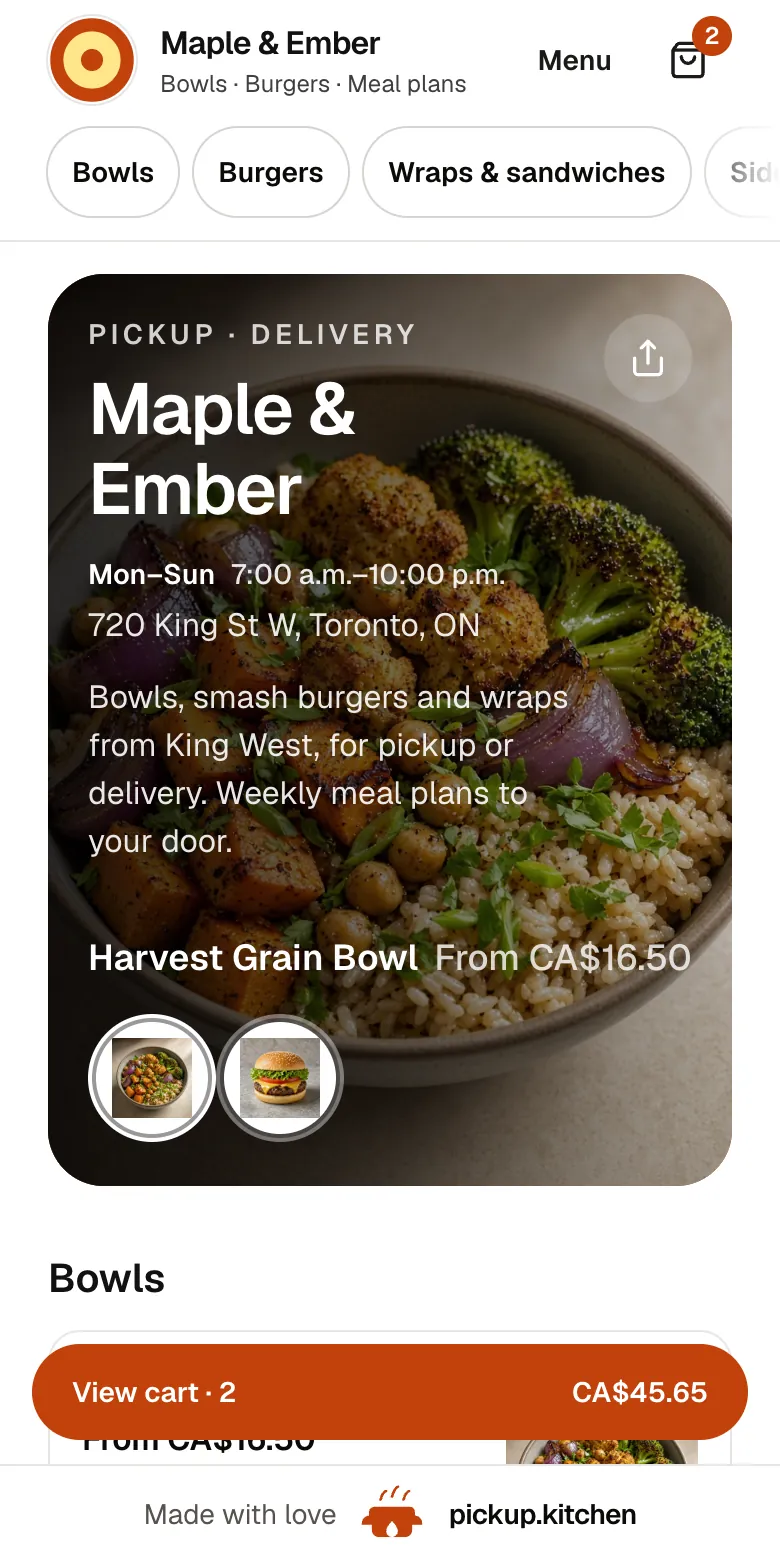
Real screens from pickup.kitchen, the same ones you and your guests use.
1Your guests
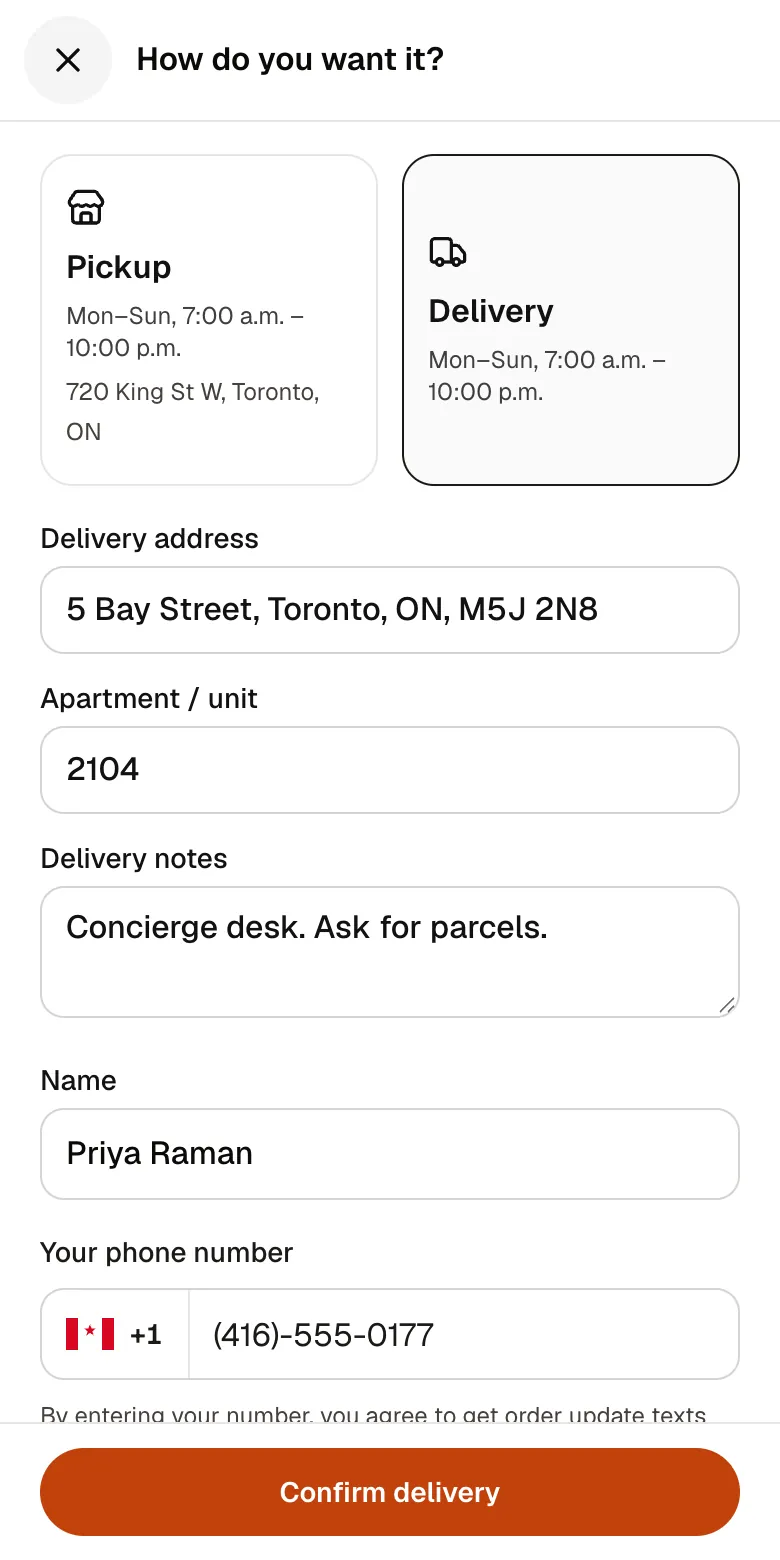
A checkout that takes seconds
A pickup time or a delivery address, then pay by card. No app to install and no account before paying.
See how it works2Your kitchen
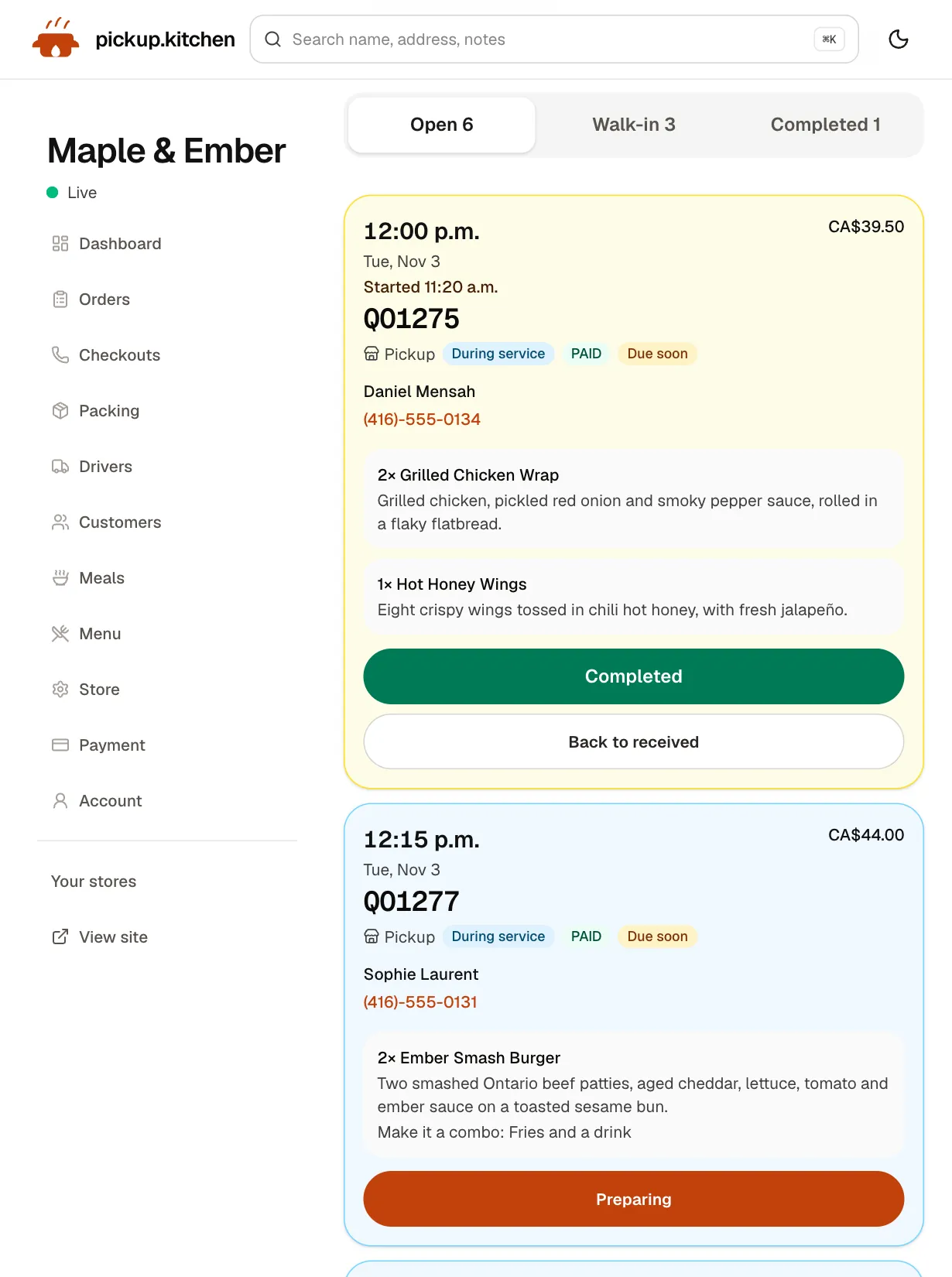
Tickets on the kitchen screen
Online orders, walk-ins and finished tickets in their own lanes, each with its QO number and the time it is due.
See how it works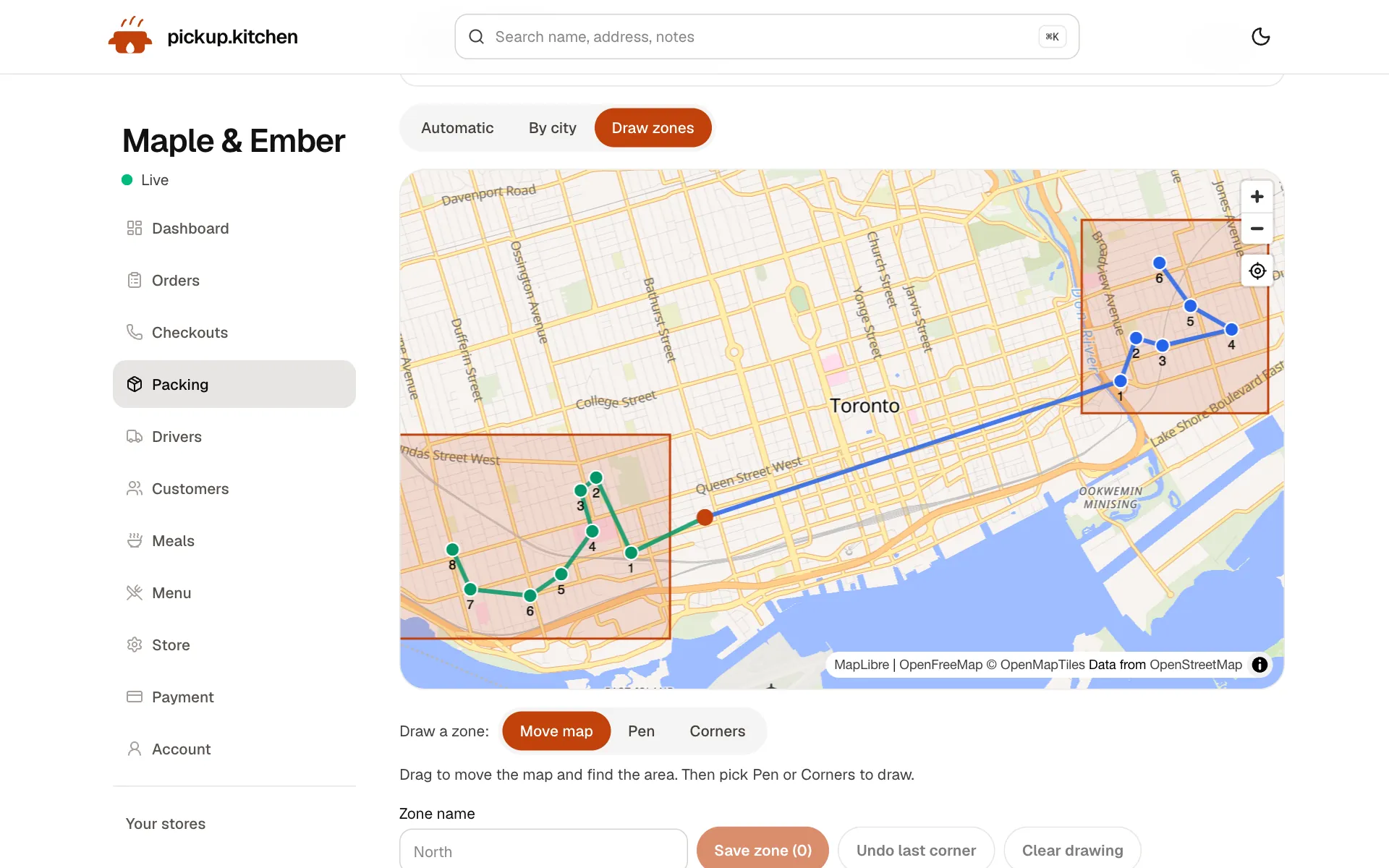
3Delivery
Your routes on a map
Stops come from your orders, or you add them by hand. Optimize puts them in order for the roads.
See how it works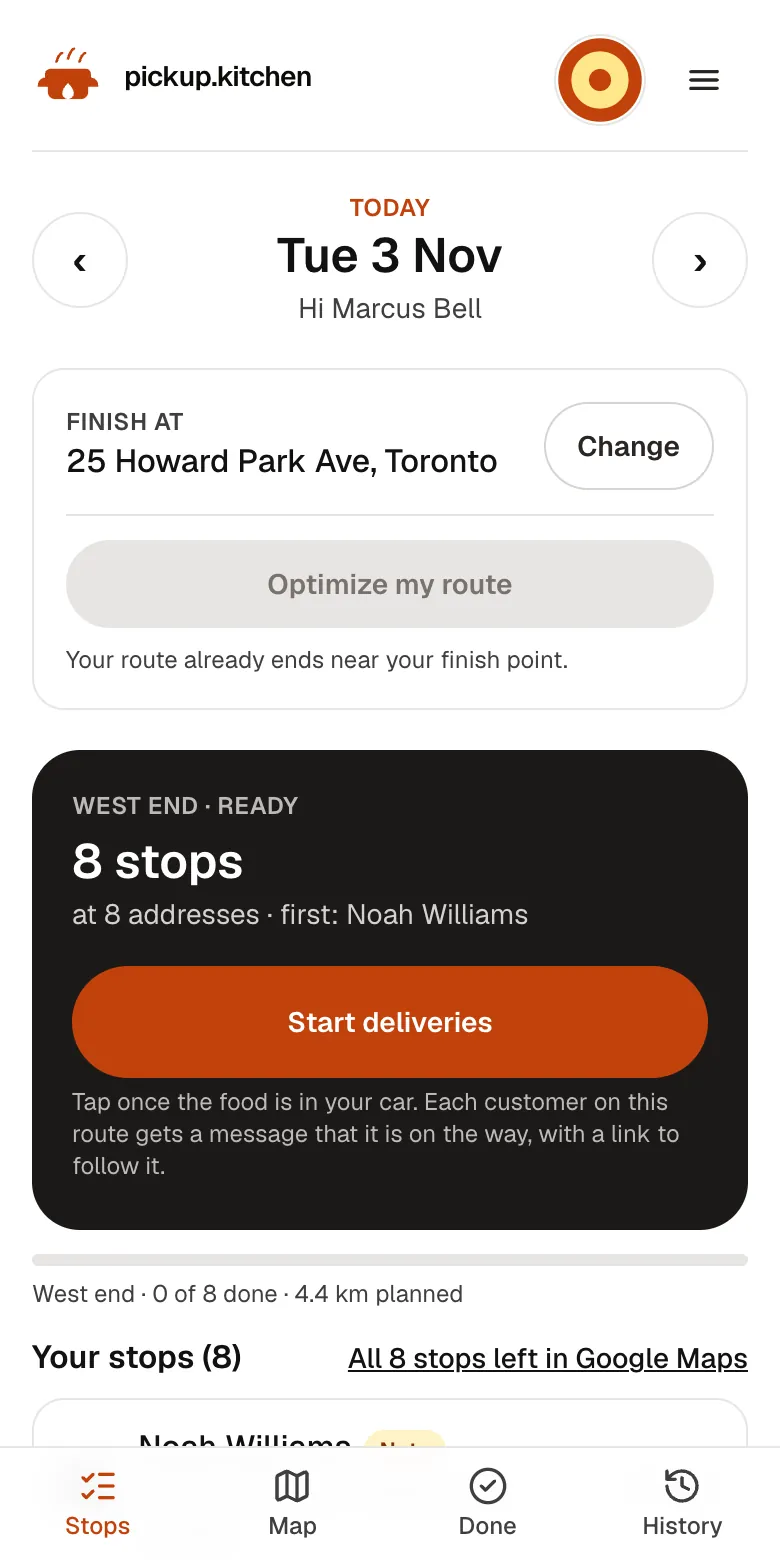
4Your driver
The route, in order
Your driver sees every stop numbered for the roads, with Navigate and the next stop always on top.
See how it works
In one login
What you get
- Orders days aheadGuests pick a day and time. Closed dates and cutoffs keep days off the menu.Learn more
- Phone ordersStaff enter orders with a time, or a delivery address and slot.Learn more
- Kitchen screenLarge time, items with options, and a Notes box for each order.Learn more
- Delivery stopsAn address and a note such as the loading dock and who to ask for.Learn more
- Photo at handoverThe driver photographs the trays at the door. You see it live.Learn more
- Client listEvery client saved with orders, addresses and door notes.Learn more
Catering runs on a different clock
A dinner order is cooked in twenty minutes. A catering order is decided on Monday for Thursday at 11:30, for forty people, at a loading dock across town.
That gap is where things go wrong. The order lives in an email thread, the delivery lives in someone's head, and the kitchen finds out on Wednesday night.
Three ways an order arrives
Online: guests open your site, pick a day and a time, and pay by card. A tray that serves ten can be a menu item with sizes, so a guest picks two of them.
By phone: staff enter the order themselves, with the pickup time, or with the delivery address and a slot. Orders you enter yourself are not blocked by the order cutoff.
Repeat: Fatima A. orders four trays for the office every Thursday. Her name, phone and past orders are on your customer list, so the next call takes two minutes.
The kitchen sees the time, not just the order
Each order becomes a ticket on the kitchen screen. The pickup or delivery time is large at the top. Items show with their options. A highlighted Notes box holds “nut-free tray, label it”.
Tickets turn amber when due within 30 minutes and red when late. The cook taps Preparing, then Completed. The screen runs in a browser, so a laptop on the pass is enough.
Keep a big order from swallowing the day
Set how many orders one slot holds. For catering days, that may be one or two, so a forty-person lunch does not share a slot with six walk-ins.
Add a cutoff, such as 8 p.m. the night before, so no late order lands on a loaded kitchen. Mark a date closed when you have an event and cannot take more.
Delivery to the venue
Add the stop with the address and a note: “Loading dock, ask for Marcus”. The driver sees the name, the phone number with a call button, the address and the note under At the door.
Send the route the night before, and the driver can start then. At the venue the driver takes a photo, and one photo can cover several trays at the same door. You see it on the live board.
A caterer with its own vans can use the driver app alone. Stops from your pickup.kitchen orders cost nothing extra. Stops you add by hand are pay as you use (100 stops free, then CA$0.10 a stop).
A catering week
Monday: Fatima A. orders four trays for Thursday at 11:30, with delivery. The ticket sits in Open with Thursday's time on it.
Wednesday afternoon: you open Deliveries for tomorrow, check the stop and send the route. The driver's phone buzzes. Thursday: the cook starts the trays, the driver delivers, and the photo is on the board before you ask.
Repeat clients and office lunches
Offices order the same way every week. Each client on your customer list can have several addresses. Each has a label, a unit and a door note such as “loading dock, ask for Marcus”. One is the default, and the driver sees its note on the day it is used.
Guests who order on your site are saved automatically, and you can add a client by hand at any time. When next week's menu is ready, send one email to the clients who have ordered, with one link to your site.
Getting paid
Guests who order on your site pay by card at checkout, through your own Stripe account. For orders you enter by phone, you can mark them paid when cash or an e-transfer arrives.
pickup.kitchen is an ordering and delivery system, not a quoting or invoicing tool. Keep sending quotes and invoices the way you do now. It handles the order once the date, time and menu are agreed.
What it does not do
The route planner does not handle delivery time windows per stop, or vehicle capacity such as a van that holds twelve trays. It plans one open route per driver. When a stop needs a set time, put it in the stop's note.
It does not run event staffing, floor plans or equipment rentals. It does not import orders from other ordering sites.
The tools a caterer uses
Caterers use the delivery tools first and the ordering site second.
- Delivery software and the driver app: stops, Send to driver, a photo at the door.
- Online ordering: your site, slots, cutoffs and closed dates for event days.
- Counter (POS): phone orders entered with a time or a delivery slot.
- Restaurant CRM: every client saved with their orders and addresses.
- Kitchen display system: the day's tickets with their times.
Step by step
How to get started
- 1Step 1: Put catering on the menuAdd trays and boxes as items with sizes, so guests pick a quantity.
- 2Step 2: Set slots and a cutoffLimit orders per slot, and stop orders the night before if you need to.
- 3Step 3: Add your driversGive each driver a login, then send routes the night before.
- 4Step 4: Share the linkSend repeat clients the link so they can book without a call.
FAQ
Questions
What is catering software for restaurants?
Software that takes large orders ahead of time, shows the kitchen what to make and when, and manages the delivery. pickup.kitchen covers ordering, the kitchen screen and delivery.
Does it do catering invoicing?
No. It is not a quoting or invoicing tool. Guests pay by card at checkout on your site, and you can mark phone orders paid when cash or an e-transfer arrives.
Can I use this as catering business software with my own drivers?
Yes. You add your drivers, give each a login, and send them routes. pickup.kitchen does not supply drivers.
Can a driver deliver one large order to a venue?
Yes. Add the stop with the address and a note such as the loading dock. The driver takes a photo when the order is handed over.
Can clients book a delivery time?
They pick a day and a time at checkout, or you enter it by phone. The planner does not handle strict delivery windows, so put a set time in the stop's note.
What does it cost?
Onboarding is free and there is no monthly fee. You pay 10% per order. The driver app is included for stops from your orders and 100 stops free, then CA$0.10 a stop for stops you add by hand.
Keep reading
- ProductRestaurant delivery softwareRestaurant delivery software for your own drivers: plan drops, send routes to phones, follow every stop live, and pay drivers. Free with your orders.
- ProductDelivery driver appA delivery driver app for businesses that deliver: route on the phone, photo proof at the door, live tracking, dispatch. Free with pickup.kitchen orders.
- ProductOnline ordering system for restaurantsAn online ordering system for restaurants: your own site at yourname.pickup.kitchen, time slots that close when full, and a kitchen screen. 10% per order.
- ProductRestaurant POS systemsRestaurant POS systems differ. This one takes walk-in and phone orders on your online menu and sends them to your kitchen screen. No hardware to buy.
- ProductRestaurant CRMA restaurant CRM that fills itself: every guest who orders on your site is saved with their orders and details, and you can email them from the same login.
Free onboarding. Pay as you use.
Run your business on pickup.kitchen
Your own ordering site, the kitchen screen, the counter, your customers, meal plans and the driver app. One login.