For tiffin services
Tiffin service software that handles skips, pauses and routes
Tiffin service software has three jobs: keep each plan straight, tell the kitchen how many boxes to pack, and get them to the right doors. pickup.kitchen does all three from one login. Your subscribers sign up on your own page.
- Weekly and monthly plans with start and end dates kept for you
- Skip, pause and extra days without redoing dates
- Packing labels, routes and a photo at the door
Free onboarding. Pay as you use. No monthly fee for ordering.
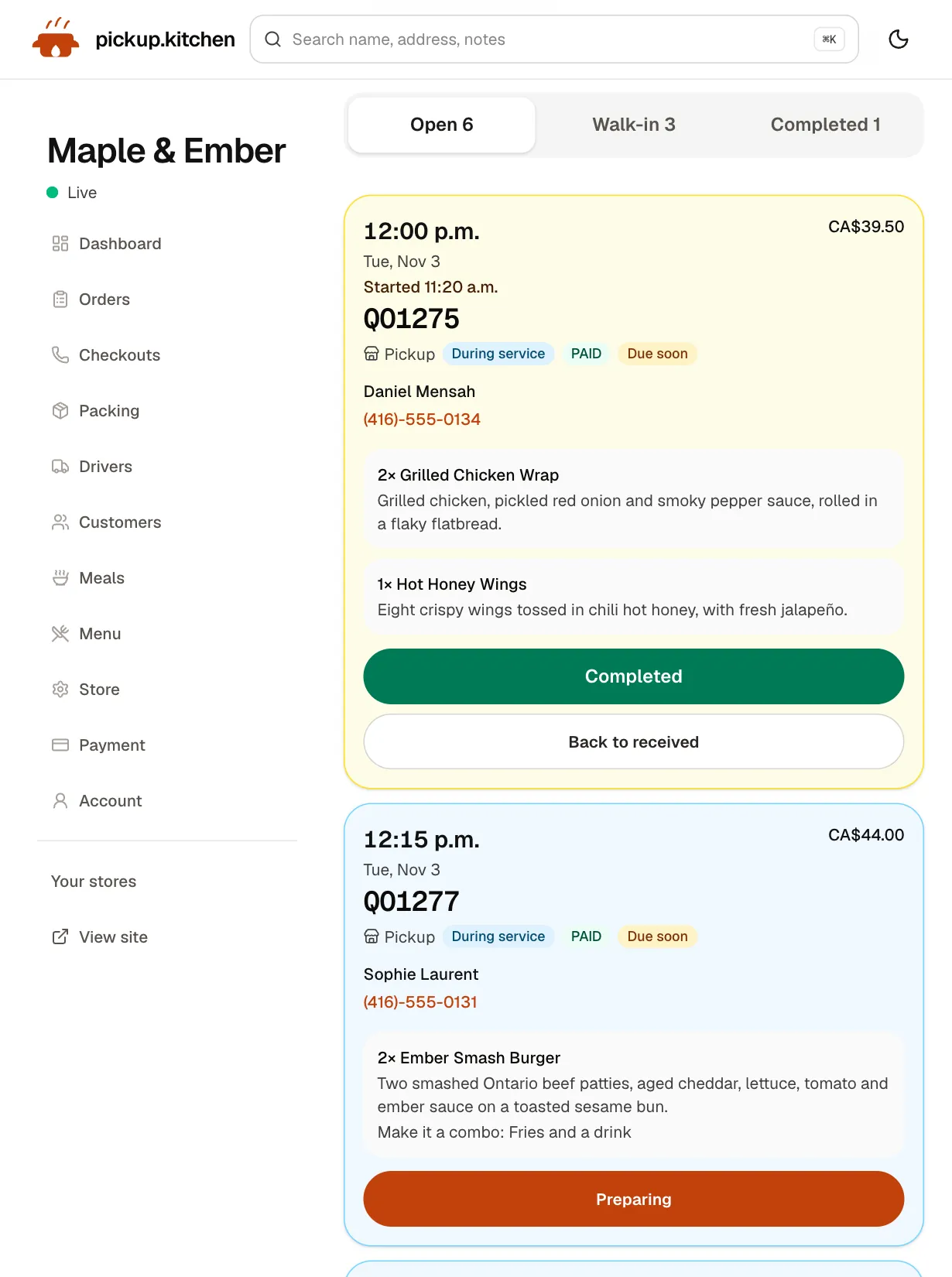
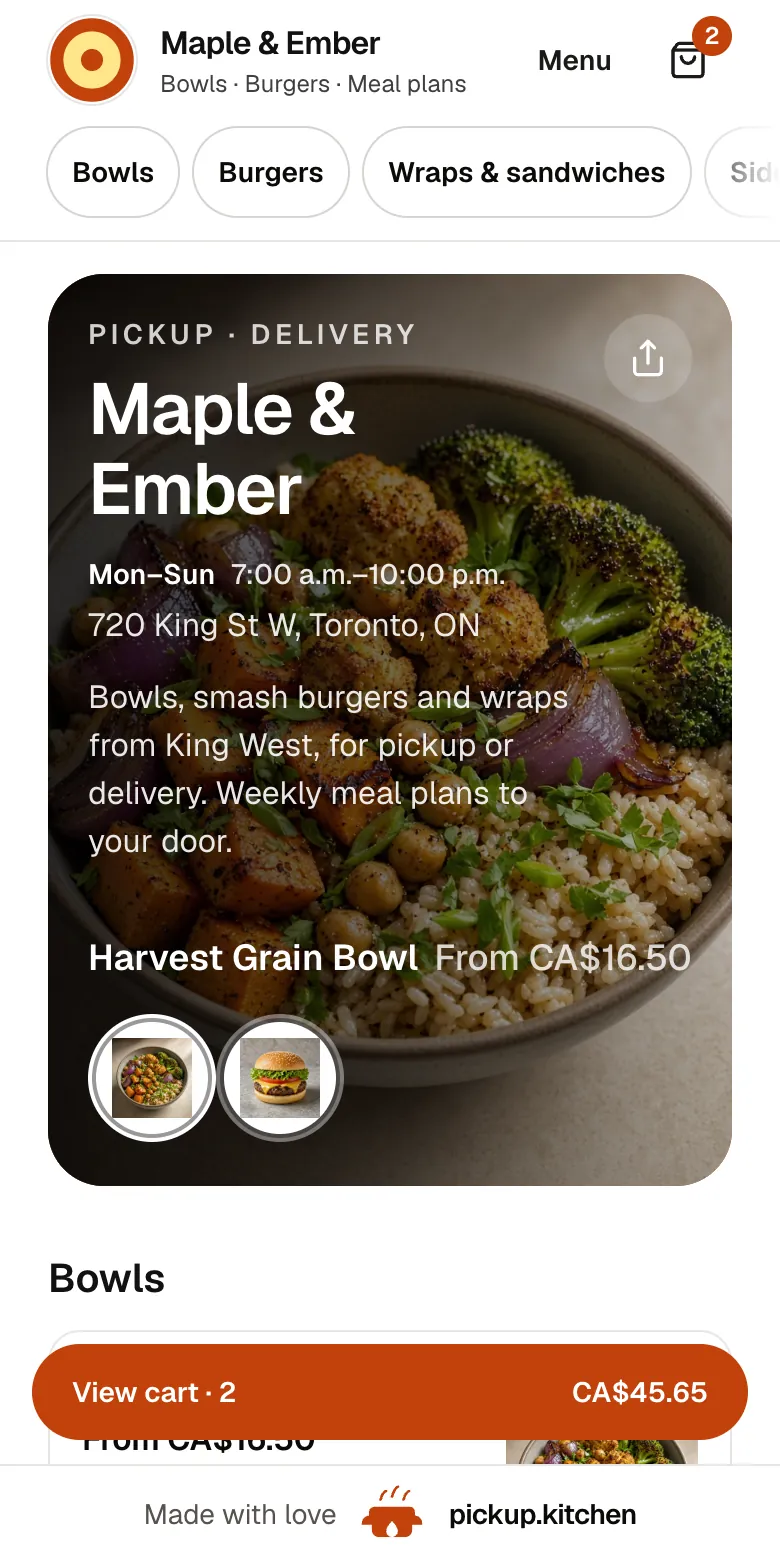
Real screens
What it looks like for you
Real screens from pickup.kitchen, the same ones you and your guests use.
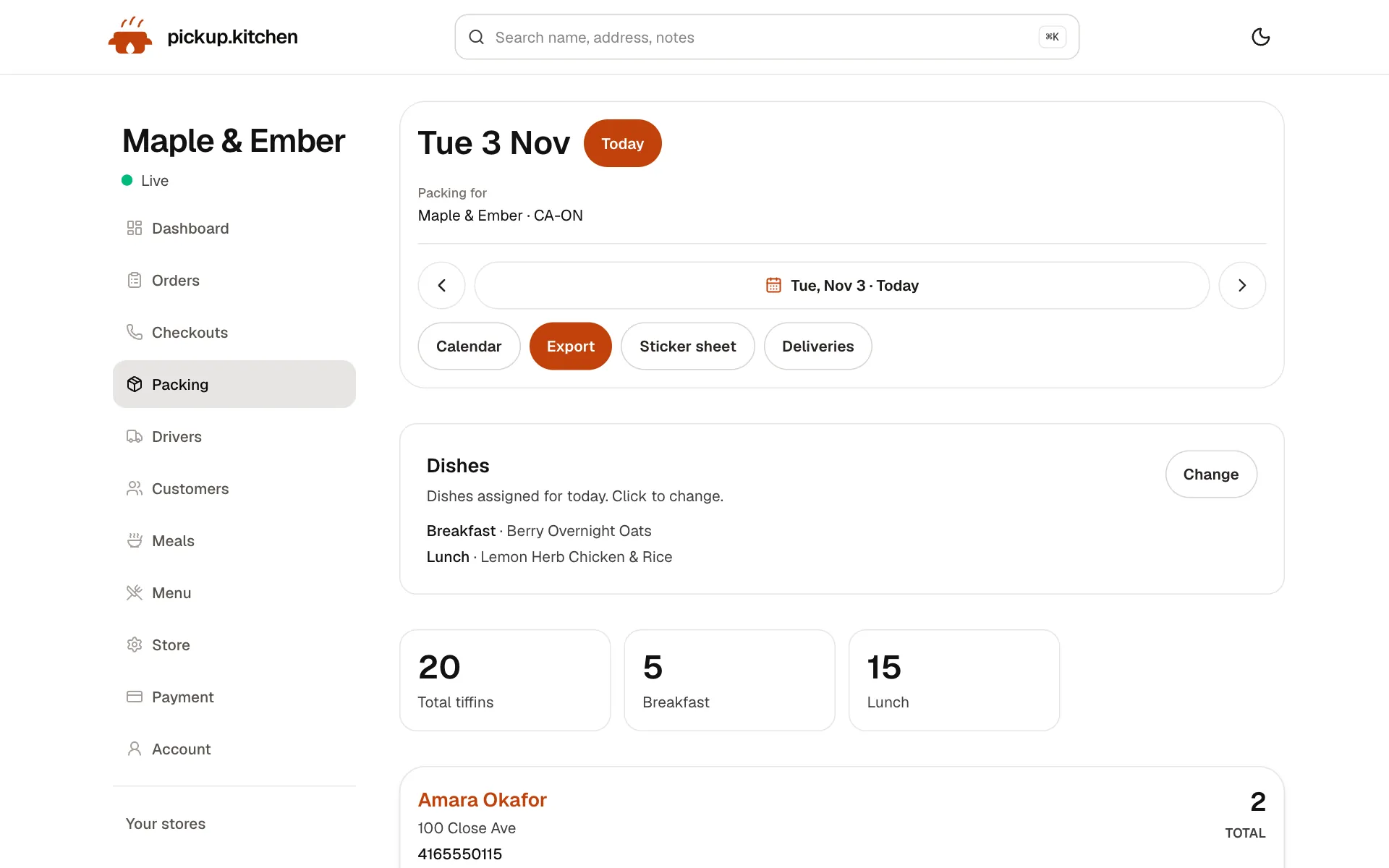
1Meal plans
Meal plans that count themselves
Weekly plans with skips and pauses, and tomorrow's list counted for you: how many to make and for whom.
See how it works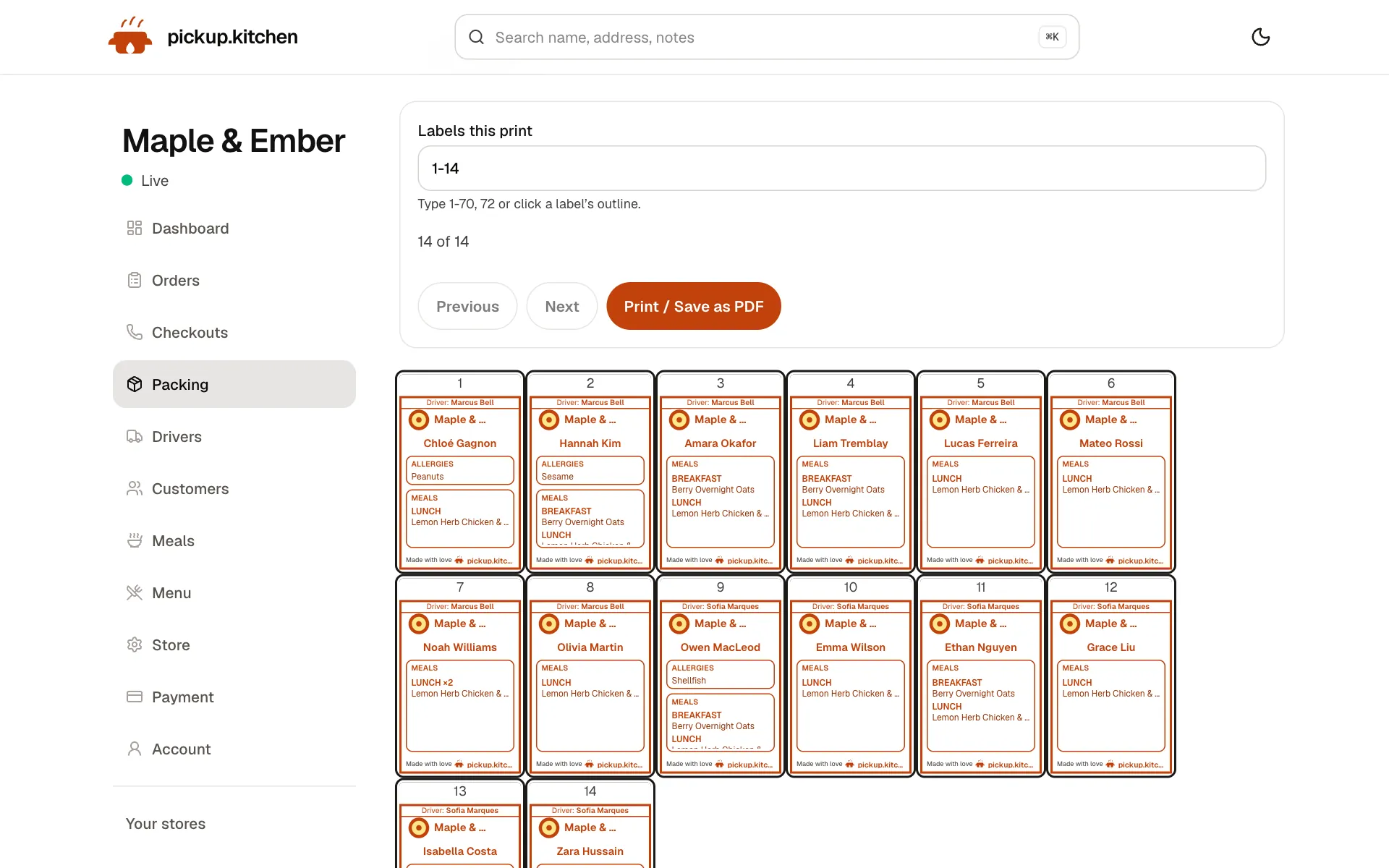
2Meal plans
A label for every box
Name, meal, day and allergies, printed for each box, so the right box reaches the right door.
See how it works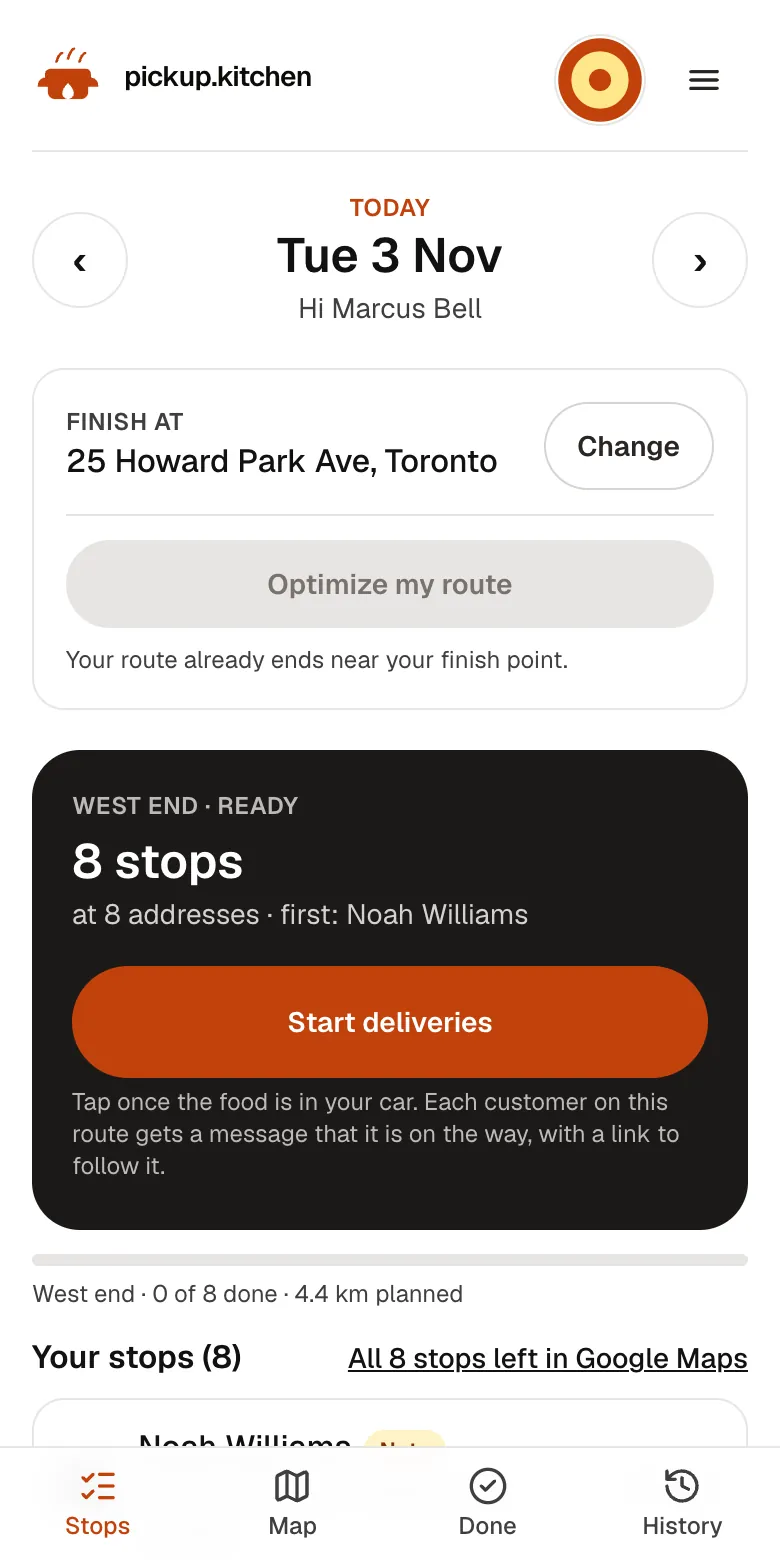
3Your driver
The route, in order
Your driver sees every stop numbered for the roads, with Navigate and the next stop always on top.
See how it works
In one login
What you get
- Weekly and monthly plansMeals, weekdays and packing days that subscribers buy online.Learn more
- Skip and pauseEach change moves the end date so no paid day is lost.Learn more
- Packing labelsName, meal, allergy and address on 4×6, Letter or A4.Learn more
- RoutesDrops are split between drivers and put in driving order.Learn more
- Driver appDrivers open the route on their phone and photograph each handover.Learn more
- Subscriber listActive, paused and ending-soon views for every plan.Learn more
A tiffin service runs on exceptions
The menu is easy. The exceptions are the work. Someone skips tomorrow. Someone is away next week. Someone wants a second box on Thursday. Someone pays on the first and someone pays on the tenth.
When those live in a chat thread, the count is wrong by Wednesday. Each exception has its own control in pickup.kitchen, and each one keeps the count of paid days right.
A plan is a menu item with a schedule
A plan names the meals in the box and the weekdays you pack. You add the lengths a subscriber can buy, such as 5, 10 or 20 packing days, each with a price. They choose it on your page and pay by card.
A box subscription opens with a start date and an end date. The end date is the last packing day that uses up the days paid for. Days you are closed are already left out.
Tiffin management software: skips, pauses and extras
Customers change their minds every week. Here is what each change does.
- Skip: one date. The name drops off that morning's list and labels, and the end date moves out.
- Pause: a stretch of dates, such as a week away. Those dates leave the list and the end date moves out.
- Extra days: more packing days on one meal or all of them. The end date slides out.
- Extra boxes: more of one meal on one date, taken from days already paid for.
Packing day, with labels
Open the Pack page for a date. You see how many boxes to make, split by meal, with the name on each. Assign a dish to each meal and add a prep note.
Labels print on 4×6 in, Letter or A4, one meal per page or one box per page. A label shows the name, the meal, the allergy and, for delivery, the address. Customers with allergies print first.
Set a pack cutoff, such as 12 noon. A plan paid before it gets its first box tomorrow. A plan paid after it starts the day after.
Tiffin delivery software: routes for the morning
Delivery days from your plans appear on the Deliveries page. You split them between drivers, tap Optimize and tap Send to driver. Two boxes at the same door are kept together, so the driver drops both on one visit.
Each subscriber keeps a default address, and you can send one date to a different address. A door note such as “gate code 4417” shows to the driver on the day it is used.
Drivers start the night before if you like, photograph each handover, and the subscriber gets a live link and the photo. Fewer “where is my box” texts.
A Monday morning
It is Monday at 6 a.m. You open the Pack page. It says 38 boxes: 22 lunch and 16 dinner, with the names. Fatima A. skipped today, so her name is already off the list.
You assign the day's dishes, print labels with allergies first, and pack. At 9 the drivers open their routes, and the first photos arrive at the doors. Nobody checked a chat thread.
Getting paid
Subscribers who pay on your page pay by card, through your own Stripe account. If someone pays by cash or e-transfer, you mark the order paid when the money arrives.
Onboarding is free and there is no monthly fee. Plans bought on your page pay the same 10% as any order, and on card orders the subscriber pays it at checkout.
Renew before the last box
The customer list for plans has views for active, paused and archived boxes, and a Next end view that shows which plans finish soonest. Offer the renewal before the last box goes out.
Send next week's menu from the same login by email. Closed dates move plans for you, and takeout orders booked on a closed day are flagged.
Moving off WhatsApp and the spreadsheet
Send us the spreadsheet you already use and we load your customers and plans. You check them, connect Stripe and go live. Tomorrow's pack list is ready.
Plan changes now happen in one place, and the pack list follows.
What it does not do
It does not write recipes, buy ingredients or work out nutrition. It does not supply drivers. It does not run points, stamps or rewards.
The same plan setup suits meal prep companies and any kitchen that sells weekly boxes. It does not need a tiffin-specific system.
The tools a tiffin service uses
Plans come first. The rest follows the morning.
- Meal prep software: plans, skips, pauses, the pack list and labels.
- Delivery software and route optimization: routes, Send to driver, driver pay.
- Driver app: the route, the door note and the photo, on the driver's phone.
- Online ordering: your page where subscribers sign up.
- Pricing: no monthly fee, so a quiet month costs nothing.
Step by step
How to get started
- 1Step 1: Build your plansPick the meals, the weekdays you pack and the lengths subscribers can buy.
- 2Step 2: Load your subscribersSend your spreadsheet and we add customers and plans.
- 3Step 3: Add your driversGive each driver a login for the driver app.
- 4Step 4: Open the Pack pagePlace a test order and watch tomorrow's list show the name.
FAQ
Questions
What is tiffin service software?
Software that stores each subscriber's plan, builds the daily pack list, prints labels and plans delivery routes. pickup.kitchen also gives subscribers a page to sign up on.
Does it handle skips and pauses?
Yes. A skip removes one date from the list. A pause removes a range. In both cases the end date moves out so paid days are still delivered.
Is there tiffin delivery software for my own drivers?
Yes. Your drivers get a login for the driver app, receive routes on their phones, and photograph each handover. pickup.kitchen does not supply drivers.
Can subscribers pay by cash or e-transfer?
Yes. You mark the order paid when the money arrives. Subscribers who pay on your page pay by card through your own Stripe account.
Do subscribers need an app?
No. They open your page, choose a plan and pay by card. Nothing to download.
What does it cost?
Free onboarding, no monthly fee, and 10% per order. Plans bought on your page pay the same 10% as any order.
Keep reading
- ProductMeal prep business softwareMeal prep business software that turns paid plans into tomorrow's pack list: skips, pauses, extra days, labels, and delivery in one login. 10% per order.
- ProductRestaurant delivery softwareRestaurant delivery software for your own drivers: plan drops, send routes to phones, follow every stop live, and pay drivers. Free with your orders.
- ProductDelivery route optimizationDelivery route optimization for food businesses: split drops between drivers, order stops by drive time, and re-optimize before they go. Free with orders.
- ProductDelivery driver appA delivery driver app for businesses that deliver: route on the phone, photo proof at the door, live tracking, dispatch. Free with pickup.kitchen orders.
- Productpickup.kitchen pricing: 10% per order, no monthly feepickup.kitchen pricing: free onboarding, no monthly fee, 10% per order. Delivery tools come with ordering. The driver app on its own is pay as you use.
Free onboarding. Pay as you use.
Run your business on pickup.kitchen
Your own ordering site, the kitchen screen, the counter, your customers, meal plans and the driver app. One login.