For food trucks
A food truck POS system for the window and the order-ahead line
A food truck POS system has to work at a window the size of a dinner plate, where every extra minute of line costs sales. pickup.kitchen takes window orders and online order-ahead on one menu and puts both on one kitchen screen. It runs in a browser on a phone or tablet.
- Window orders and order-ahead on one menu and one screen
- Pickup slots that close when the truck is full
- Runs in a browser. No hardware to buy.
Free onboarding. Pay as you use. No monthly fee for ordering.
Real screens
What it looks like for you
Real screens from pickup.kitchen, the same ones you and your guests use.
1Your guests
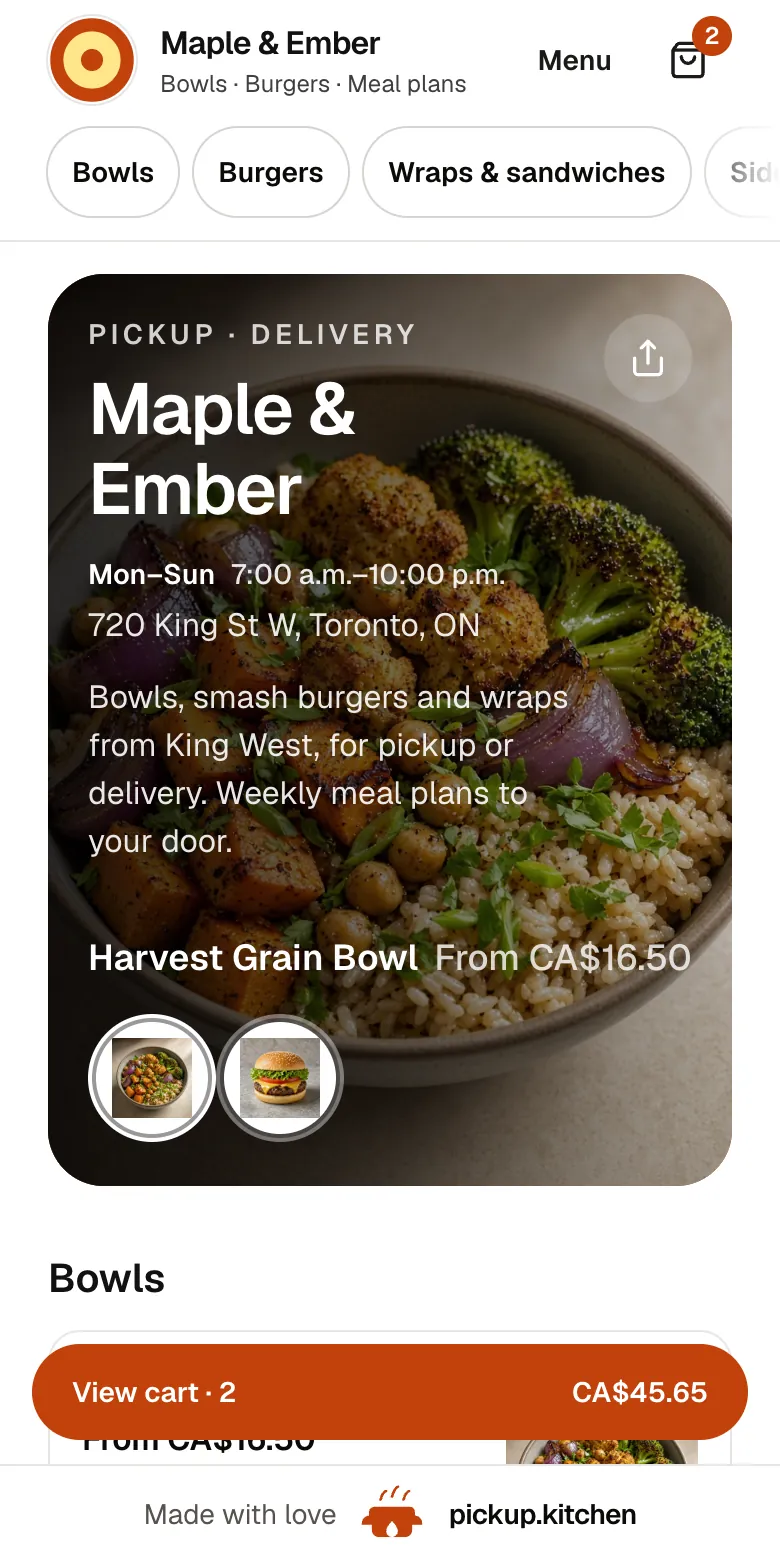
Your menu, on your own site
yourname.pickup.kitchen shows your dishes with photos and prices, and each guest picks pickup or delivery.
See how it works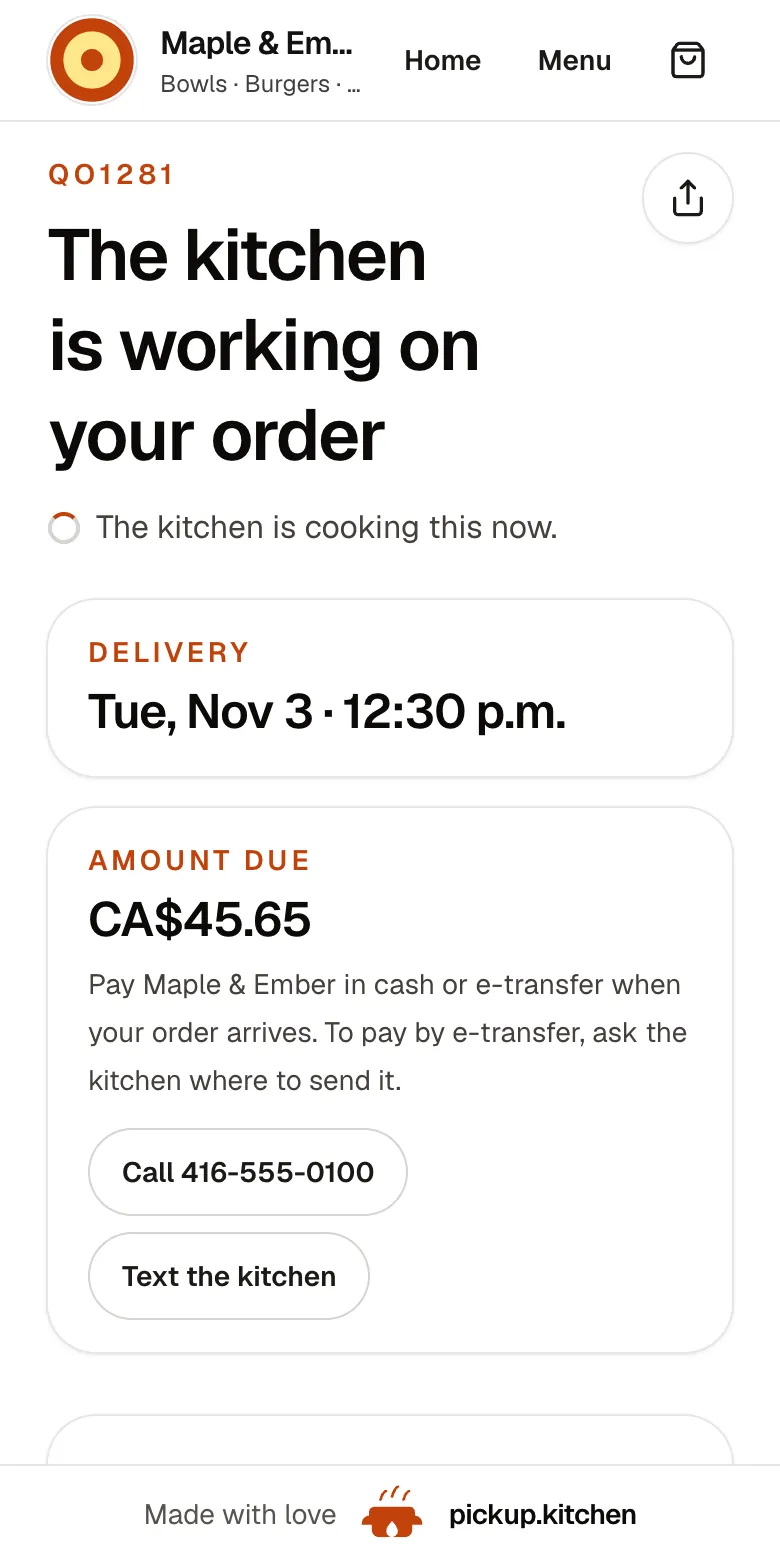
2Your guests
Every order gets a QO number
The guest sees their order number the moment they order, and the same number is on the kitchen's ticket.
See how it works3Your kitchen
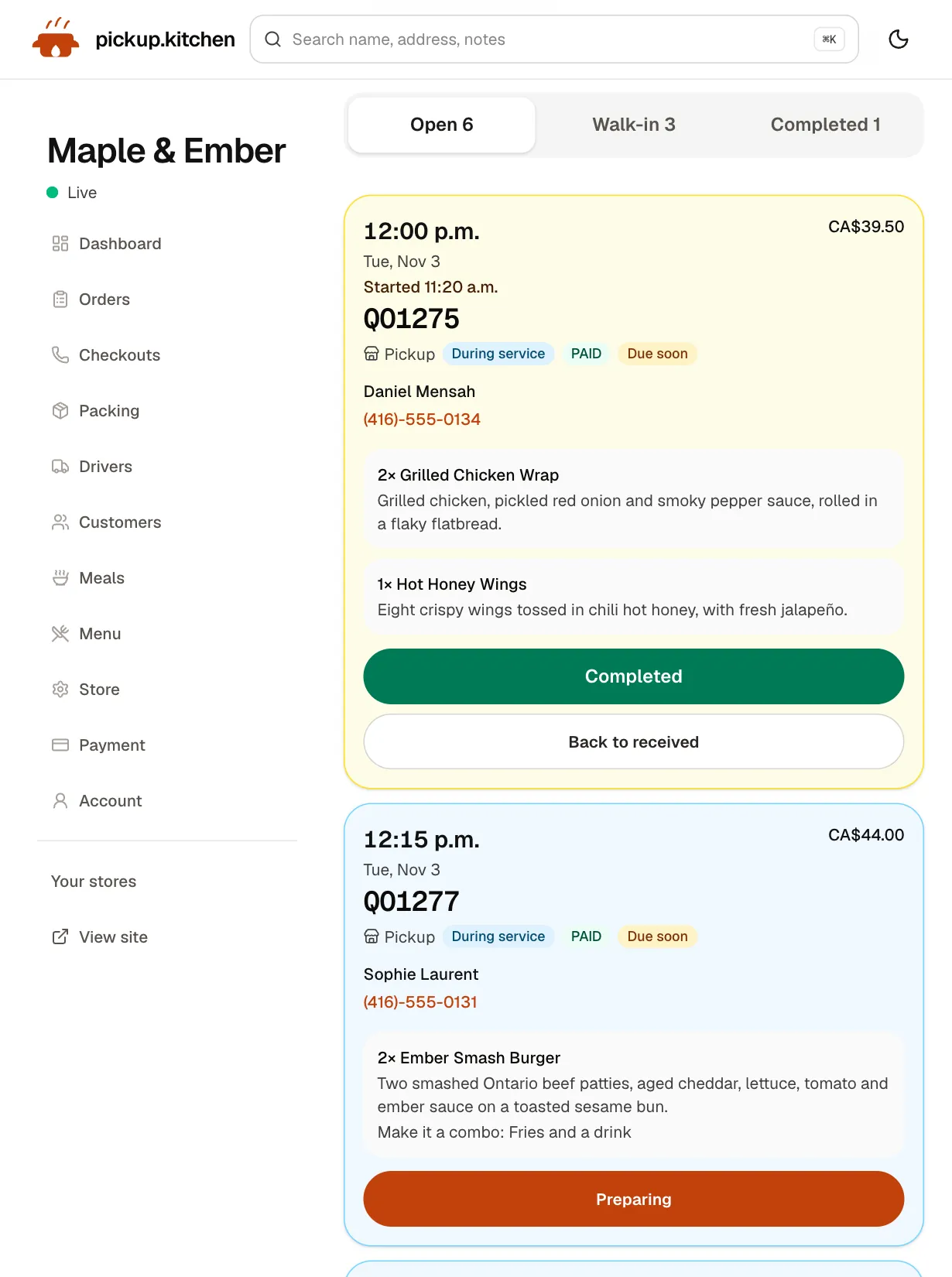
Tickets on the kitchen screen
Online orders, walk-ins and finished tickets in their own lanes, each with its QO number and the time it is due.
See how it works
In one login
What you get
- Window ordersA few taps, a note, a name, and Cash or Card, straight to the kitchen screen.Learn more
- Order-aheadGuests pick a time and pay before they reach the window.Learn more
- Slots that closeOrders per slot keep the truck from promising too much.Learn more
- Sold-out stockSet a dish to zero, or mark the whole day sold out.Learn more
- Kitchen screenOne list with a chime, amber for due soon and red for late.Learn more
- Customer listEvery guest saved, ready for your next email.Learn more
The line is part of the product
A long line is good for ten minutes. After that, people look at their watch and walk to the next truck. Everything slow at the window costs a sale.
Two things shorten it: taking each order in a few taps, and moving some orders off the line entirely. Order-ahead does the second.
Food truck ordering system: order-ahead for the lunch rush
Guests open your link, pick their food, choose a pickup time and pay. They walk up when it is ready and collect. No app. No account.
You choose the slot length, from 10 minutes to an hour, and how many orders one slot holds. Count the most orders your window can finish in 10 minutes on a good day, then set the limit a little below that. When a slot is full, it closes on the site.
Taking orders at the window
Staff tap Counter on the kitchen app, tap the dishes, add a note such as “no onions”, and type the guest's name. A phone number is optional. They choose Cash or Card and tap Send to kitchen.
The order lands in the Walk-in lane on the kitchen screen, next to your order-ahead tickets. Each ticket shows the time, the items with their options, and the name to call.
A lunch window, ticket by ticket
It is 12:05. Five order-ahead tickets sit in Open, for 12:10 and 12:20. The cook starts the 12:10 ones and taps Preparing, and the tickets turn yellow. At the window, Nia R. orders two tacos and a drink. Staff tap them in, mark Cash and send. The ticket lands in Walk-in.
Order-ahead guests step up, say their name and leave. The line at the window gets shorter because some of the orders never queue.
When you run out
It is 1:15 and the last brisket is gone. Set that dish's stock to zero and it stops selling at the window and online. If the whole truck is done, tap Sold out today. Nobody can book today, and tomorrow stays open.
Tickets already on the screen stay, so the cook finishes what was promised.
Where are you today?
You update your pickup spot and hours on your site, and you say where you are in your Instagram post. There is no live map that follows the truck. Guests order from the same link every day.
Each open day has its own hours, so Tuesday at the office park can differ from Saturday at the market. Mark days off as closed dates, and those days leave checkout.
Signal, readers and the festival problem
Trucks know the problem: a card reader spins at a festival, and the line grows. pickup.kitchen does not include a card reader. Keep the one you have, and mark the order Card.
Order-ahead helps here. Guests who order ahead pay before they reach the window, so your line has pickups, not card taps. The kitchen screen is a browser app and needs a connection, so bring a hotspot.
The best POS system for a food truck is the one you can reach
Space on a truck is tight, so skip anything that needs a printer, a drawer and a stand. The counter and kitchen screen run on a tablet or phone you already own.
Ask any POS vendor, including us, five questions. Does it need hardware? Is there a monthly fee per terminal? What do I pay per order? Do online and window orders share one menu? Can the cook see notes at a glance?
What it costs on a truck
Guests who order ahead by card pay the 10% at checkout, and you receive your menu price before Stripe's own card fee. For orders you enter at the window, you pay the 10%, charged weekly to the card you save.
There is no monthly fee and no per-terminal charge. A week the truck stays home costs nothing.
Keep your regulars in the loop
Every guest who orders on your site goes on your customer list. When you add a new spot or a new dish, send one email from the same login. Subject: “Thursday lunch at the brewery, orders open”.
Your Instagram reach belongs to Instagram. Your email list belongs to you.
What it does not include
No card reader, receipt printer or cash drawer connection. No tables, tabs or split bills. No map that follows the truck.
The kitchen screen is one list for the whole truck. It does not split tickets by station or connect to a bump bar.
The tools a food truck uses
Most trucks start with the first two.
- Counter (POS): window orders on the same menu, marked Cash or Card.
- Online ordering: order-ahead on your own site, with slots and sold-out days.
- Kitchen display system: tickets with a sound and a Walk-in lane.
- Restaurant email marketing: where you are this week.
- Pricing: no monthly fee, so a quiet month costs nothing.
Step by step
How to get started
- 1Step 1: Add your menuSend a photo of your menu board or paste the text, then check each dish and price.
- 2Step 2: Set slots and hoursPick slot length, orders per slot and the hours for each open day.
- 3Step 3: Set a PIN and save a cardYour crew uses the PIN at the window. The card covers weekly counter fees.
- 4Step 4: Post your linkPut it in your bio and on the truck window.
FAQ
Questions
What is the best POS system for a food truck?
One that needs no extra hardware, takes window orders in a few taps, and shares a menu with online order-ahead. Avoid a monthly fee per terminal.
Is there a food truck ordering system with order-ahead?
Yes. Guests open your link, pick a pickup time and pay. Slots close when full, so the window never takes more than you can cook.
Does it take card payments at the window?
It records whether the order was paid by cash or card. It does not include a card reader, so use the reader you already have and mark the order Card.
Does it show customers where the truck is today?
Not on a live map. You update your pickup spot and hours on your site, and post your spot on Instagram. Keep one ordering link in your bio.
What if the signal is bad at an event?
The counter and kitchen screen run in a browser and need a connection. Bring a hotspot. Order-ahead guests pay before they get to you, which takes card taps off your line.
What does it cost?
Onboarding is free and there is no monthly fee. You pay 10% per order. Guests who order ahead by card pay the 10% at checkout.
Keep reading
- ProductRestaurant POS systemsRestaurant POS systems differ. This one takes walk-in and phone orders on your online menu and sends them to your kitchen screen. No hardware to buy.
- ProductOnline ordering system for restaurantsAn online ordering system for restaurants: your own site at yourname.pickup.kitchen, time slots that close when full, and a kitchen screen. 10% per order.
- ProductKitchen display system for restaurantsA kitchen display system that runs in the browser: tickets arrive with a sound, cooks tap Preparing and Completed, and guests hear when it is ready.
- ProductRestaurant email marketingRestaurant email marketing from the list your orders build: send menus, specials, and closed dates to your guests. Includes five email examples to copy.
- Productpickup.kitchen pricing: 10% per order, no monthly feepickup.kitchen pricing: free onboarding, no monthly fee, 10% per order. Delivery tools come with ordering. The driver app on its own is pay as you use.
Free onboarding. Pay as you use.
Run your business on pickup.kitchen
Your own ordering site, the kitchen screen, the counter, your customers, meal plans and the driver app. One login.