Meal prep software
Meal prep business software that builds tomorrow's pack list
Meal prep business software has one job: turn what each subscriber paid for into tomorrow's pack list. pickup.kitchen keeps the start date, end date, and packing days for every plan. It shows the count by meal and name, and prints the labels. Your own site is where new subscribers sign up.
- Start date, end date, and packing days kept for you
- Skip, pause, and extra days without redoing dates
- Morning pack list and labels with allergies
Free onboarding. Pay as you use. No monthly fee for ordering.
Real screens
See it in the app
Real screens from pickup.kitchen, the same ones you and your guests use.
1Meal plans
Meal plans that count themselves
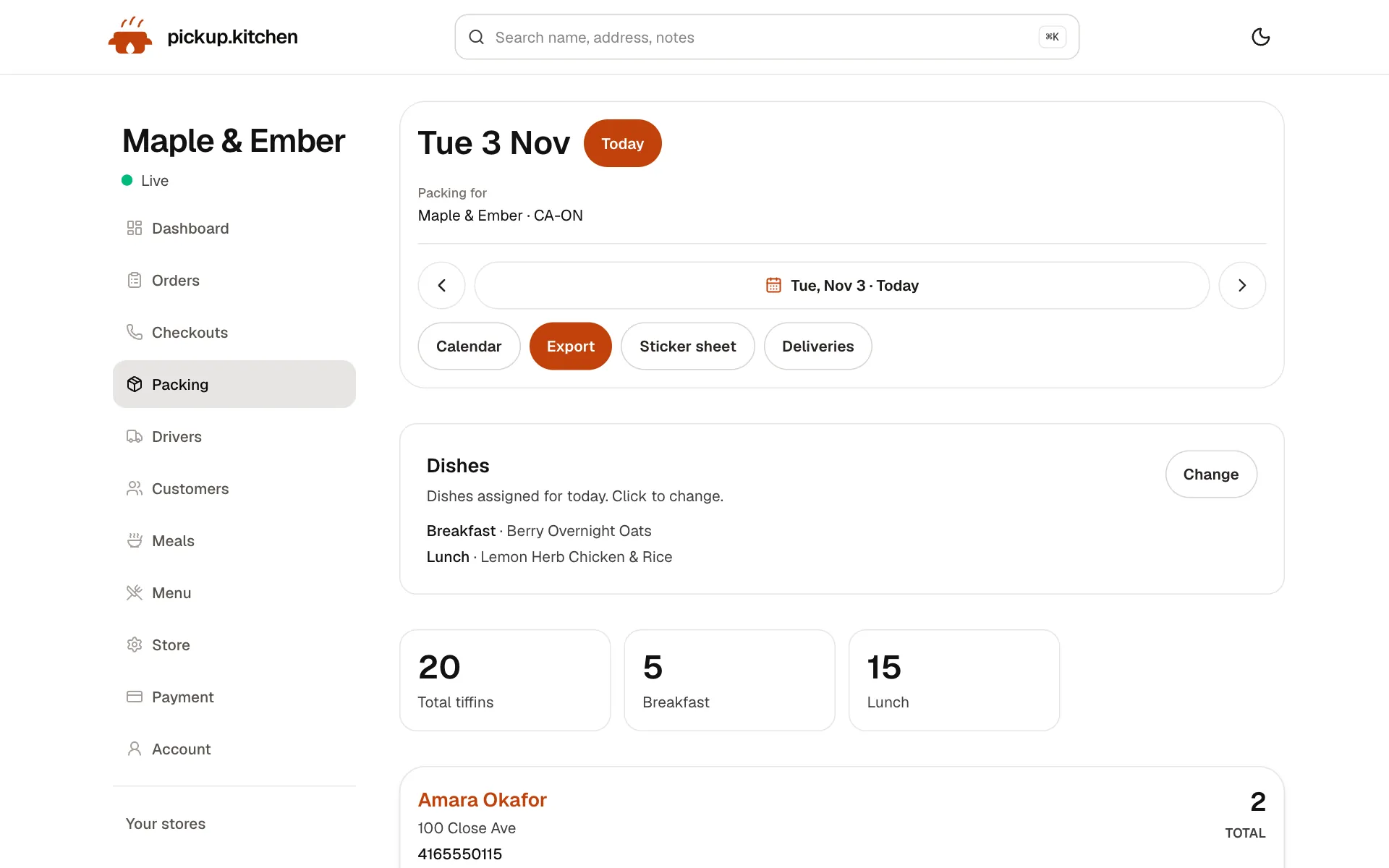
Weekly plans with skips and pauses, and tomorrow's list counted for you: how many to make and for whom.
2Meal plans
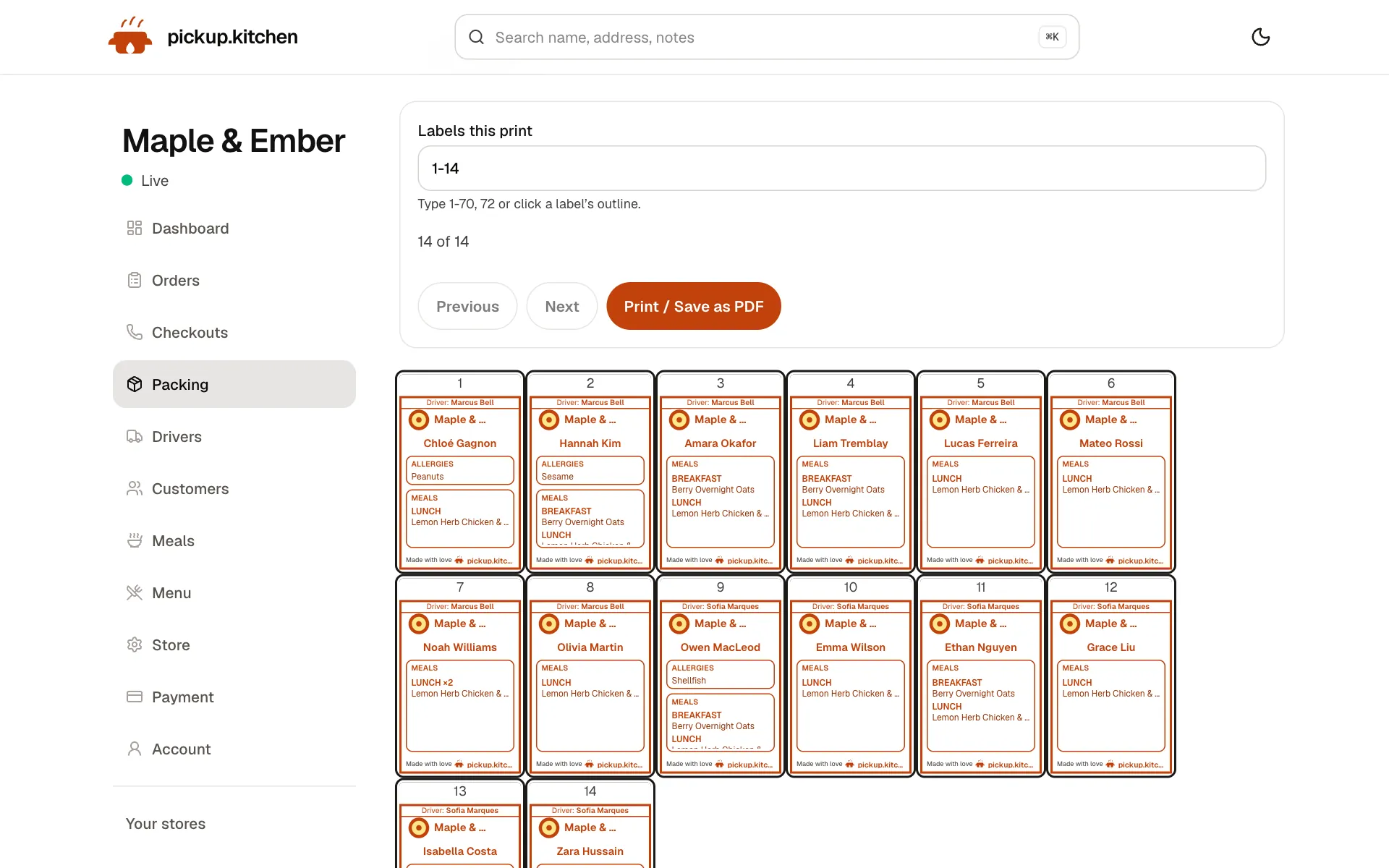
A label for every box
Name, meal, day and allergies, printed for each box, so the right box reaches the right door.
3Delivery
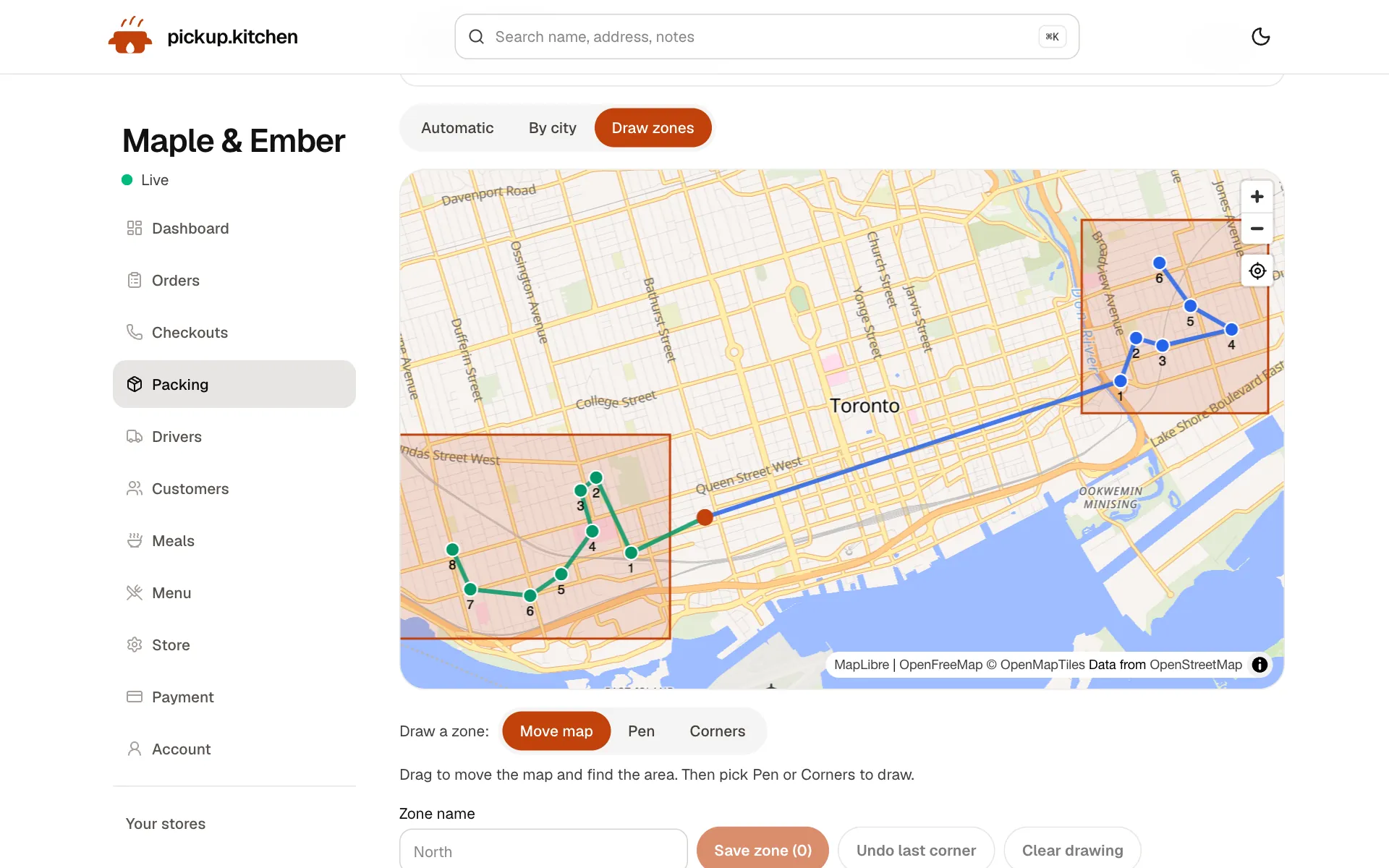
Your routes on a map
Stops come from your orders, or you add them by hand. Optimize puts them in order for the roads.
See how it works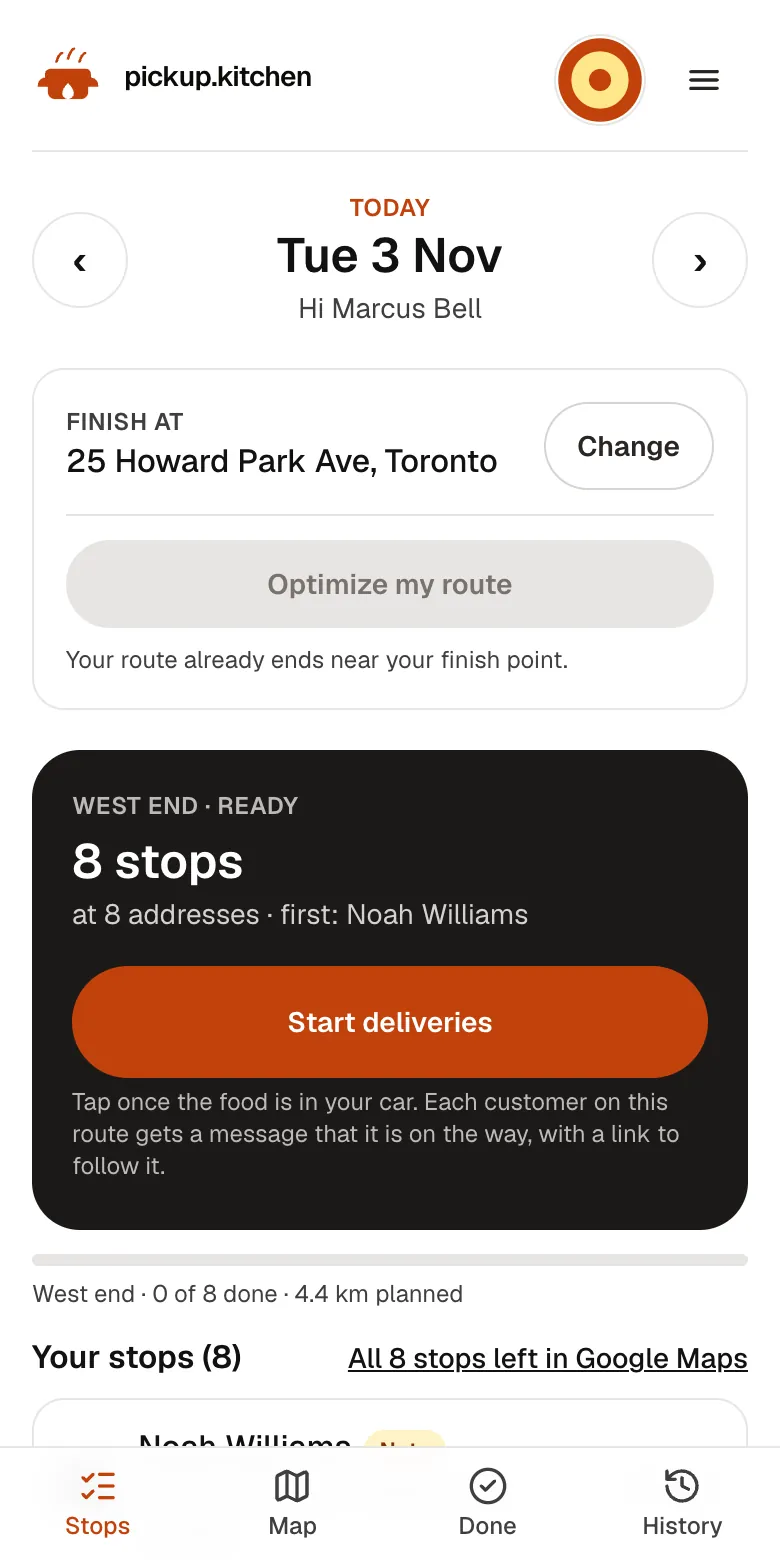
4Your driver
The route, in order
Your driver sees every stop numbered for the roads, with Navigate and the next stop always on top.
See how it works
In one login
What you get
- Plans on your siteMeals, weekdays, and packing days that customers buy online.
- Auto end datesThe end date is the last packing day that uses up the days paid for.
- Skip, pause, extrasEach change moves the end date so no paid day is lost.
- Pack listBoxes by meal and name for any date, with a dish and macros per meal.
- LabelsName, meal, allergy, and address on 4×6, Letter, or A4.
- Delivery routesBoxes flow to routes, the driver app, and a photo at the door.
The plan is the product
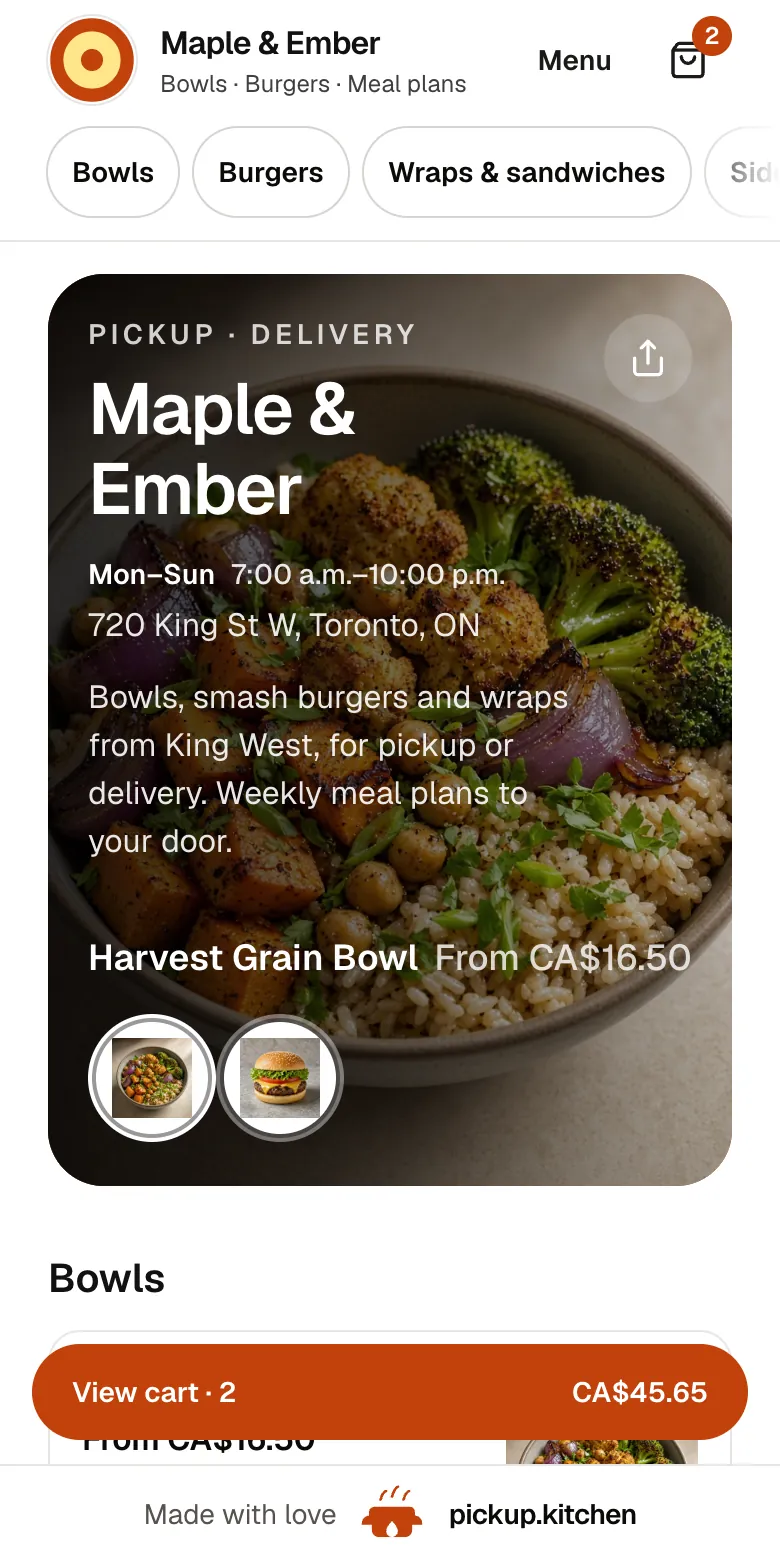
A plan is a menu item with a schedule. It names the meals in the box, the weekdays you pack, and how many packing days the customer bought. They choose it on your site, pay by card, and a box subscription opens with a start date and an end date.
The end date is not a guess. It is the last packing day that uses up the days they paid for. Days you are closed are already left out, and you can skip public holidays for your country.
You can sell several plans, such as lunch only, lunch and dinner, or a weekday and weekend mix. A customer who orders two plans gets two boxes.
Set up your first plan
A plan takes about ten minutes. Pick the meals in the box, such as lunch and dinner. Pick the weekdays you pack. Add the lengths customers can buy, for example 5, 10, or 20 packing days, and a price for each.
Then add the dishes for the first week and the prep notes. Publish it on your site and place a test order. You will see the box open with its start date and end date, and tomorrow's list will show the name.
When the first box goes out
You set a pack cutoff, such as 12 noon. A plan paid before the cutoff gets its first delivery tomorrow. At the cutoff or later, the first delivery is the day after. Nobody has to pack a same-day box for a plan that was just paid.
Skip, pause, extra days, and extra boxes
The week never matches the spreadsheet. Someone is away, someone wants one more week, someone wants two boxes on Thursday. Each change has its own control, and each keeps the count of paid days right.
- Skip: one date. Choose one meal or every meal on the box. The name drops off that morning's list and labels, and the end date moves out so the paid day is not lost.
- Pause: a stretch of dates, such as a week away. Those dates leave the list and the end date moves out the same way.
- Extra days: more packing days on one meal or all of them. The end date slides out to the new last day.
- Extra boxes: more of one meal on one date, taken from the days they already paid for. The plan ends sooner.
The morning pack list
Open the Pack page for any date and you see how many boxes to make, split by meal, with the name on each. Assign a dish to each meal for the day. Add a prep note and its calories, protein, carbs, and fat, and the labels carry them.
Labels print on 4×6 in, Letter, or A4. You choose one meal per page or one box per page. A label shows the name, the meal, the allergy, and, for delivery, the address. Customers with allergies print first, and the label notes a person who has more than one box.
Plans that are about to end
The customer list for plans has views for active, paused, and archived boxes, and a Next end view that shows which plans finish soonest. Offer the renewal before the last box goes out, not after.
Closed dates move plans for you. When you mark a date closed, plans and extras shift out. Takeout orders booked on that day are flagged so you can deal with them.
Payments and moving off a spreadsheet
Customers pay by card on your website. If someone pays by cash or e-transfer, you mark the order paid when the money arrives.
To switch, create your account, add your meal plans, and add your current customers. Send us the spreadsheet you already use and we load the customers and plans. Tomorrow's list is ready.
When the box goes out the door
For delivery, each box keeps a default address, and you can send one date to a different address without touching the rest of the plan. A note on the address shows to the driver on the day it is used.
The same drops flow to routes and the driver app, with a photo at the door. See the delivery software page. The same plan setup suits meal-prep companies, tiffin services, and any kitchen that sells weekly boxes.
What it does not do
It does not write recipes, buy ingredients, or work out nutrition. You type each dish's calories and macros once. It replaces the three-tab spreadsheet and the handwritten label, not the cook.
FAQ
Questions
What is meal prep software for a business?
The system that stores each plan, builds the daily pack list, and prints the label for every box. pickup.kitchen also gives you the site where customers sign up.
Is there meal subscription software that handles skips and pauses?
Yes. A skip removes one date from the list. A pause removes a range. In both cases the end date moves out so paid days are still delivered.
What is the difference between extra days and extra boxes?
Extra days add packing days and push the end date out. Extra boxes put more of one meal on one date, using days already paid for, so the plan ends sooner.
Do customers need an app to sign up for a meal plan?
No. They open your website, choose a plan, and pay by card. Nothing to download.
How do I start a meal prep business?
Pick the meals and days you can pack every week. Price the plan to cover food, box, and time. Then put it on your own site. Our guide walks through it.
What does meal plan software cost here?
Free onboarding, no monthly fee, and 10% per order. Plans bought on your site pay the same 10% as any order.
Keep reading
- ProductKitchen management softwareKitchen management software that only promises what you can cook: slot limits, sold-out days, dish stock and prep lists for weekly plans. 10% per order.
- ProductRestaurant delivery softwareRestaurant delivery software for your own drivers: plan drops, send routes to phones, follow every stop live, and pay drivers. Free with your orders.
- ProductRestaurant CRMA restaurant CRM that fills itself: every guest who orders on your site is saved with their orders and details, and you can email them from the same login.
- GuideHow to start a meal prep business: a 9-step guideHow to start a meal prep business: pick your menu, check the food rules, price your plans, set a weekly rhythm and find your first customers. Real numbers.
Free onboarding. Pay as you use.
Put your kitchen on pickup.kitchen
No monthly fee for ordering. Send us your menu and we set it up with you, then you pay as you use.